
Most deal flow still arrives as email. Cold pitches, warm intros, portfolio updates and LP questions all land in the same inbox, sorted by time and nothing else. A pitch from this morning sits under a calendar invite, and an intro from a partner gets buried by forty newsletters.
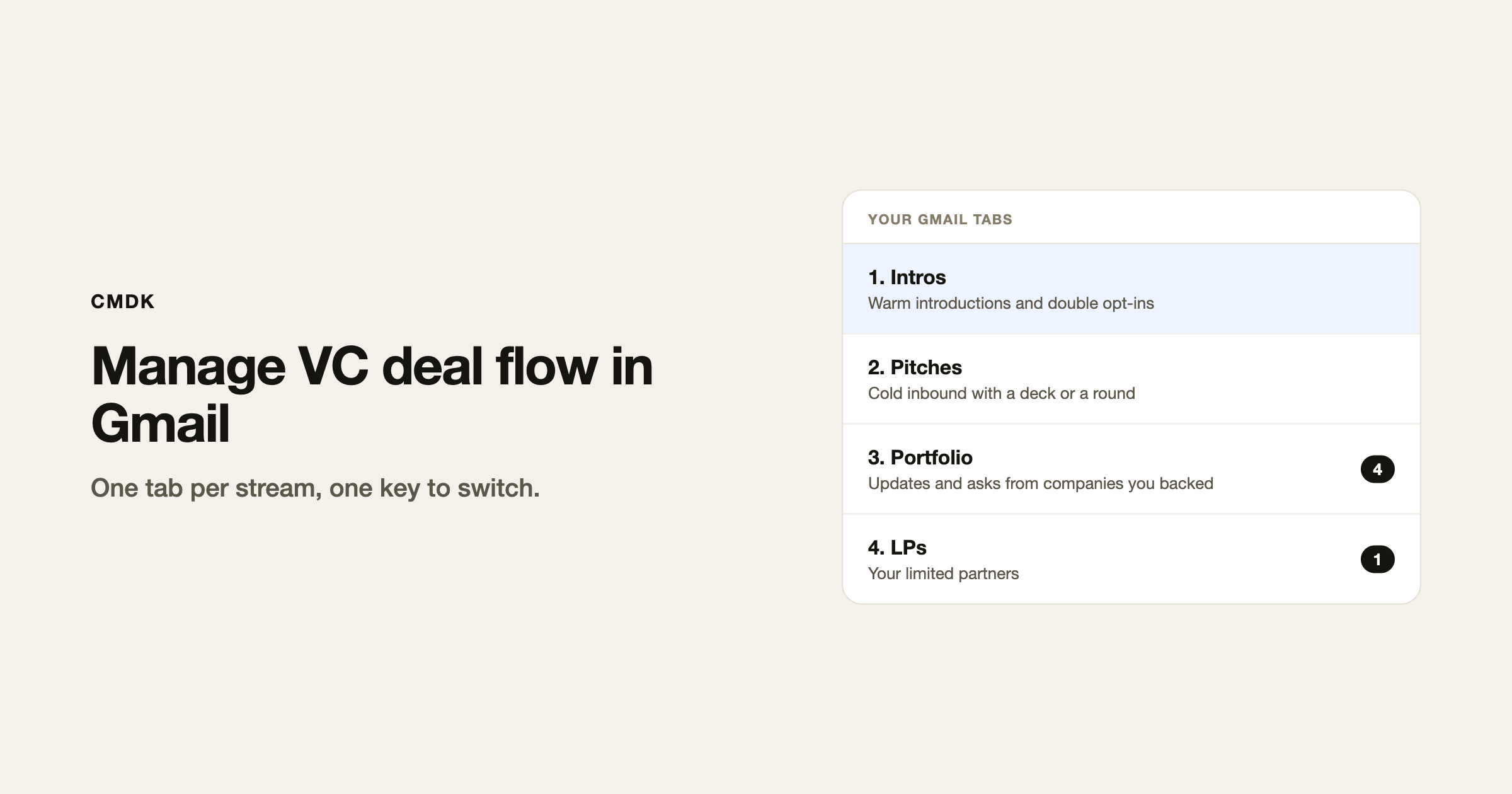
The fix is to split the inbox by stream. Give pitches, intros, portfolio companies and LPs a tab each, at the top of Gmail. Each tab is a saved Gmail search, so each email shows up in its tab as soon as it arrives. You open one stream at a time and press Tab to move to the next.
Gmail has no tabs of its own beyond Primary, Promotions and the rest. CMDK adds them inside Gmail, so nothing moves to a new app and your CRM stays where it is.
Four tabs for a VC inbox
Start with these. Copy the search into the tab, then adjust the words to match how founders write to you.
| Tab | What lands there | Gmail search |
|---|---|---|
| Intros | Warm introductions and double opt-ins | in:inbox subject:(intro OR introduction OR "double opt-in") |
| Pitches | Cold inbound with a deck or a round | in:inbox (deck OR pitch OR raising OR "pre-seed" OR "seed round" OR "series a") -label:portfolio |
| Portfolio | Updates and asks from companies you backed | label:portfolio |
| LPs | Your limited partners | label:lps |
CMDK also starts you with an Inbox tab and a Calendar tab. The Calendar tab collects every meeting invite in one place, which helps in a week of first meetings.
Intros go first on purpose. A warm intro has a person waiting on your reply, often the partner who made it. A cold pitch can wait until your batch time.
Set it up in Gmail
- Install CMDK from the Chrome Web Store, open Gmail and sign in.
- Make two Gmail labels, Portfolio and LPs. Add a filter for each that matches their email domains, for example
from:(acme.com OR northwind.io), and apply the label. Leave “Skip the inbox” off so the mail still reaches you. - Run one of the searches above in Gmail’s search bar. Press Cmd+K (Ctrl+K on Windows), type tab, and pick Create Tab from Search. CMDK pins the tab with a suggested name and emoji.
- Open CMDK’s Settings, go to Tabs and edit each tab. Rename it, set the icon, and turn on Show unread count for the Portfolio and LPs tabs. Unread counts work on tabs that open a single label, which is why those two use labels and not a long search.
- Press Tab to move to the next tab and Shift+Tab to go back. This works anywhere outside the compose window.
Tabs are saved per Gmail account. If you run a fund address and a personal address, each keeps its own set. Partners set up their own tabs; the searches are short enough to paste into a team chat.
If a search catches too much, tighten it in the tab editor. The Gmail search operators guide lists every filter you can use, such as has:attachment and filename:pdf for decks.
A daily routine that keeps up
Open the tabs in the same order each day, so nothing important waits more than a day.
- Open Intros and reply the same day. Accept, ask a question, or decline politely. Save your three answers as snippets and type
;in a reply to insert one. A snippet can fill in{first_name}for you. - Open Pitches and clear them in one batch. Most need one of three replies: a pass, a request for the deck or data room, or a meeting link. Each is a snippet.
- Open Portfolio, read the updates and answer the asks. When you send something that needs an answer, such as a customer intro, turn on a follow-up reminder in the compose window. If nobody replies, the thread comes back to you.
- Open LPs and answer anything waiting. There are fewer of these, and each one deserves a same-day reply.
Read receipts help with the follow-ups in between. You can see whether a founder opened the term sheet email before you chase, and whether an LP read the quarterly letter.
For warm intros you make yourself, the double opt-in intro guide has the wording.
Where a CRM still fits
Tabs organize the inbox. A CRM tracks the pipeline: stages, partners on a deal, notes from the first meeting, why you passed. If your firm runs Affinity, Attio or Streak, keep it. Use tabs to choose what you read in Gmail, and the CRM to record what happened after.
Firms that skip a CRM can stretch Gmail further. Add a label per stage, such as First call and Diligence, and make a tab for each. That is enough for a solo GP or a small team, and it does not replace a CRM once several partners share a pipeline.
Frequently asked questions
How do VCs manage deal flow in Gmail?
Most split the inbox by stream: intros, pitches, portfolio and LPs. Each stream is a saved Gmail search pinned as a tab, so a pitch never sits under a newsletter. A CRM then tracks deals once they move past the inbox.
Does Gmail have tabs for deal flow?
No. Gmail’s own tabs are Primary, Social, Promotions, Updates and Forums, and you cannot add your own. CMDK adds custom tabs from any Gmail search.
Can Gmail replace a VC CRM?
For a solo investor or a small team, labels and tabs per stage can cover it. Once several partners share a pipeline, a CRM keeps notes, stages and ownership in one record that Gmail does not have.
How do I keep pitch decks in one place in Gmail?
Make a tab with has:attachment filename:pdf plus the words founders use, such as deck or raising. Every pitch with a PDF shows up there.
Does this work with Google Workspace accounts?
Yes. CMDK works with personal Gmail and Google Workspace, and each account keeps its own tabs. Gmail’s keyboard shortcuts setting needs to be on.
If deal flow keeps getting buried in your inbox, start with the four tabs above. CMDK puts pitches, intros, portfolio and LPs in their own tabs inside Gmail, with snippets and follow-up reminders for the replies.




