
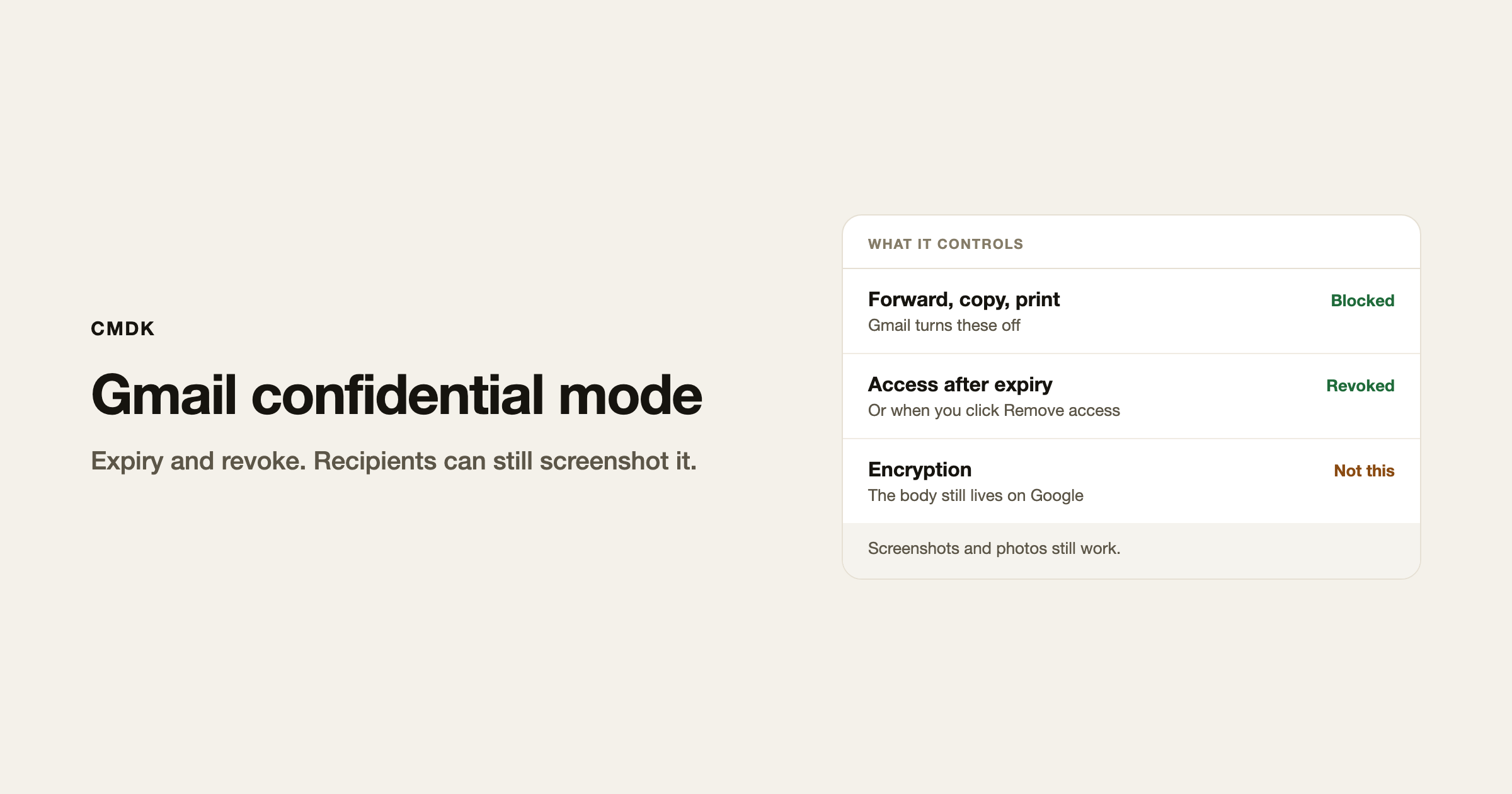
Gmail confidential mode lets you set an expiry on a message, require an SMS passcode, and later cut off access. Recipients using Gmail cannot forward, copy, print, or download the body or attachments from Gmail’s own menus. They can still photograph the screen.
Turn it on in the compose window before you hit Send. There is no way to apply it to a message that already left.
How to send a confidential email in Gmail
- Open Gmail in a desktop browser and click Compose.
- Write the message and add attachments as usual.
- At the bottom of the compose window, click the lock icon (Toggle confidential mode).
- Pick an expiry: 1 day, 1 week, 1 month, 3 months, or 5 years.
- Choose No SMS passcode, or SMS passcode and enter the recipient’s phone number, not yours.
- Click Save, then Send.
If the lock is already on, click Edit at the bottom of the draft to change the expiry or passcode. The expiry and passcode apply to the text and to every attachment on that message.
Workspace admins can turn confidential mode off for the whole domain. If the lock icon is missing, that is usually why. Ask IT rather than hunting Gmail settings.
SMS passcode
No SMS passcode is enough when every recipient uses Gmail. They open the thread like any other email.
SMS passcode sends a code to the phone number you typed. Use the recipient’s number. Google supports numbers in North America, South America, Europe, Australia, India, Korea, and Japan. A number outside those regions returns an error.
Recipients who do not use Gmail get a link (“View the email”) and then the passcode, by SMS or by a separate email, depending on what you chose.
Remove access before the expiry
- Open Sent.
- Open the confidential message.
- Click Remove access.
The recipient keeps the subject line in their inbox. The body and attachments no longer open. This is the closest Gmail gets to taking a message back after delivery. It is not Undo Send, which only works for 5 to 30 seconds after you click Send, and only if you turned confidential mode on before you sent.
If someone needs the file again after you revoked it, resend the email.
What recipients can and cannot do
Gmail hides Forward, copy, print, and download on the confidential body. Paste is blocked in the same window.
They can still:
- Read the subject in the inbox list, even after you revoke access.
- Take a screenshot or a phone photo of anything they opened.
- Copy the text with a tool that reads the screen.
Google’s own help says the same thing. Treat confidential mode as a way to stop a polite coworker from forwarding a salary number. Do not treat it as a way to send a secret that must never leak.
How to encrypt email in Gmail
Confidential mode does not encrypt the message. Google stores the body and shows it to whoever still has access.
What Gmail actually does:
- Mail in transit uses TLS. That protects the connection. It does not encrypt the copy in the recipient’s inbox.
- Google Workspace can add S/MIME. An admin has to issue certificates. Personal Gmail does not offer this.
- Leaving Gmail for an encrypted client is a different product. This page is about the Gmail you already use.
If the job is “this should expire Friday and I want to revoke it if I sent it too soon,” confidential mode is the control. If the job is “nobody but the recipient’s device can read this,” Gmail does not do that on a consumer account.
Frequently asked questions
What is confidential mode in Gmail?
A compose option that sets an expiry, can require an SMS passcode, and lets you revoke access from Sent. Gmail also turns off forward, copy, print, and download for the body.
Does Gmail confidential mode encrypt email?
No. Google still holds the message. Recipients who opened it can screenshot it. S/MIME on a Workspace account is the encryption path, and an admin has to set that up.
Can I turn on confidential mode after I send?
No. The lock has to be on before Send. After that you can only revoke access on a message that was already confidential.
Does confidential mode let me recall an email?
No. Undo Send is the 30-second cancel. Confidential mode can lock the body later, and only if you enabled it first. The subject stays visible.
Why can’t my recipient open a confidential email?
The expiry passed, you clicked Remove access, they are signed into the wrong Google account, or the SMS number is in a country Google does not support. Extend access or resend.
If you send the same sensitive note often, keep the wording in a snippet and turn confidential mode on in compose each time. CMDK is the Gmail extension that inserts those snippets from the keyboard.




