
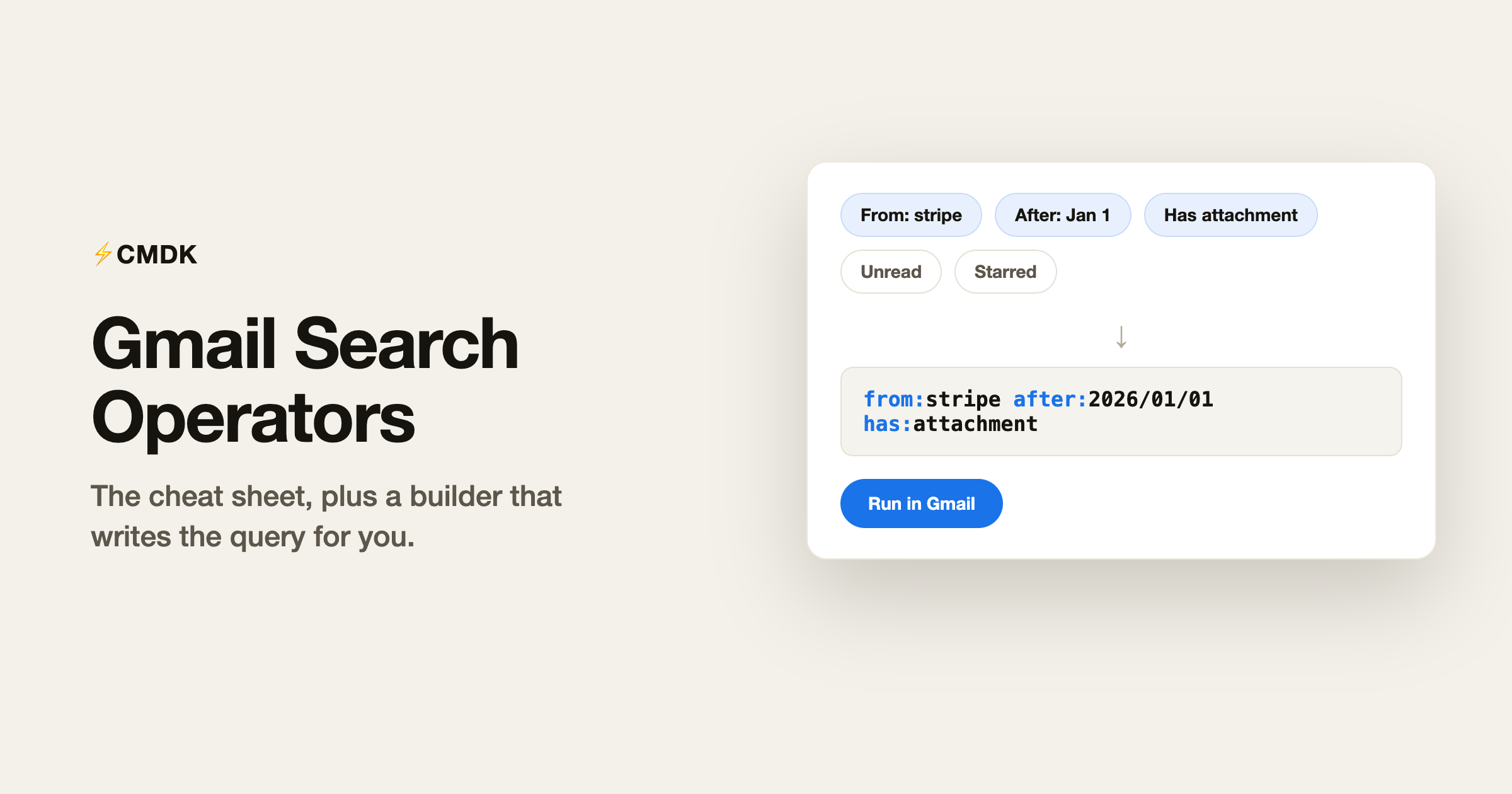
Gmail’s search bar accepts a query language that most people never use. from:stripe has:attachment after:2026/01/01 finds the invoice in two seconds; scrolling finds it in ten minutes. The operators are not hard, there are just more of them than anyone remembers.
This page has both fixes: a builder that writes the query from a form, and the cheat sheet for when you want to type it yourself.
Build your search
Fill in what you know, copy the query, or run it in Gmail directly.
The operators worth memorizing
These eight cover almost every real search:
from:andto:match sender and recipient. A name fragment works:from:amazoncatches every Amazon address.subject:matches the subject line only.after:andbefore:take dates as YYYY/MM/DD.older_than:andnewer_than:take relative periods:older_than:1y,newer_than:2d. Units are d, m, and y.has:attachmentlimits results to emails with files attached.larger:andsmaller:filter by size:larger:10Mfinds the storage hogs.is:filters by state:is:unread,is:starred,is:important.in:andcategory:pick the location:in:spam,in:sent,category:promotions.
Combining operators
Operators separated by spaces are ANDed together, so from:stripe has:attachment means both conditions. Four more combinators cover the rest:
OR(capitals required) matches either side:from:stripe OR from:paypal- The minus sign excludes:
dinner -moviefinds emails with “dinner” but not “movie” - Curly braces are an alternative OR:
{from:stripe from:paypal} - Parentheses group words for one operator:
subject:(quarterly report)requires both words in the subject
Exact phrases go in quotes: "out for delivery" matches those words in that order.
Complete Gmail search operators reference (2026)
Every operator Gmail’s search bar accepts, grouped by what it filters. Combine any of them with a space to narrow further.
| Operator | What it finds | Example |
|---|---|---|
| People and addresses | ||
from: | Messages from a sender | from:amazon |
to: | Messages sent to someone | to:me |
cc: / bcc: | Someone on the Cc or Bcc line | cc:[email protected] |
deliveredto: | Mail delivered to a specific address (aliases) | deliveredto:[email protected] |
list: | Mail from a mailing list | list:[email protected] |
| Words and subject | ||
subject: | Words in the subject line only | subject:invoice |
" " | An exact phrase, in order | "quarterly report" |
+ | An exact word, no synonyms | +unicorn |
AROUND | Two words within N words of each other | budget AROUND 5 approval |
| Attachments and files | ||
has:attachment | Any attached file | from:me has:attachment |
filename: | An attachment by name or type | filename:pdf |
has:drive / document / spreadsheet / presentation | A linked Google Drive file, Doc, Sheet or Slides | has:spreadsheet |
has:youtube | A YouTube video link | has:youtube |
| Status and labels | ||
is: | State: unread, read, starred, snoozed, important, muted | is:unread |
label: | A specific label | label:receipts |
has:userlabels / nouserlabels | Mail with, or without, any label | has:nouserlabels |
has:yellow-star, has:red-bang… | A specific star or marker | has:yellow-star |
| Location | ||
in: | inbox, sent, draft, spam, trash, anywhere | in:anywhere |
category: | A tab: primary, social, promotions, updates, forums | category:promotions |
| Date and size | ||
after: / before: | Absolute dates, YYYY/MM/DD | after:2026/01/01 |
older_than: / newer_than: | Relative age in d, m, y | newer_than:7d |
larger: / smaller: | Size, with M or K | larger:10M |
| Logic | ||
OR or { } | Match either side (OR must be capitals) | {from:stripe from:paypal} |
- | Exclude a word or operator | dinner -movie |
( ) | Group terms for one operator | subject:(quarterly report) |
Searching by date
Two ways, depending on what you know:
- Absolute dates use
after:andbefore:with YYYY/MM/DD:after:2026/01/01 before:2026/02/01is January 2026. - Relative periods use
older_than:andnewer_than::newer_than:7dis the last week,older_than:1yis everything before last July.
The relative forms are what make cleanup searches reusable: category:promotions older_than:6m means “old promotions” forever, no date math required.
Searches worth saving
larger:10M older_than:1yfinds old large emails, the fastest storage winhas:attachment filename:pdf from:mefinds every PDF you have sentis:unread older_than:1m in:inboxfinds the unread pile you are never going to readfrom:noreply older_than:6mfinds stale automated mail, safe to delete wholesaleto:me -in:chats is:unread newer_than:2dfinds what actually needs attention today
The cleanup searches feed directly into bulk actions; our guide to mass deleting emails in Gmail covers the select-all-and-delete step.
Any search you build with these operators can also run automatically. Our guide to Gmail filters and rules shows how to turn an operator string into a rule that labels, archives, or deletes matching mail the moment it arrives.
Frequently asked questions
How do I search Gmail by date range?
Use after: and before: with dates in YYYY/MM/DD format, for example after:2026/01/01 before:2026/02/01 for January 2026. For relative ranges, use newer_than: and older_than: with d, m, or y units, like newer_than:7d for the past week.
How do I search Gmail for emails with attachments?
Use has:attachment, and narrow by type with filename:, for example has:attachment filename:pdf. To find large attachments, add a size filter like larger:5M.
Can I search Gmail for exact phrases?
Yes. Put the phrase in double quotes: “quarterly board review” matches those words in that order. Without quotes, Gmail matches emails containing all the words anywhere.
How do I exclude words from a Gmail search?
Put a minus sign directly before the word or operator: dinner -movie, or from:amazon -subject:(order confirmation). The minus works on any operator, not just words.
Does Gmail search look inside attachments?
Yes, for common formats. Gmail indexes the text of PDFs and Office documents, so searching a phrase can match an email where the phrase only appears in the attached file.
One more shortcut: press / and Gmail focuses the search bar, no mouse needed. CMDK takes the same idea further with a Cmd+K command bar that searches, archives, snoozes, and labels from the keyboard.
Related: how to find unread emails in Gmail with is:unread.




