
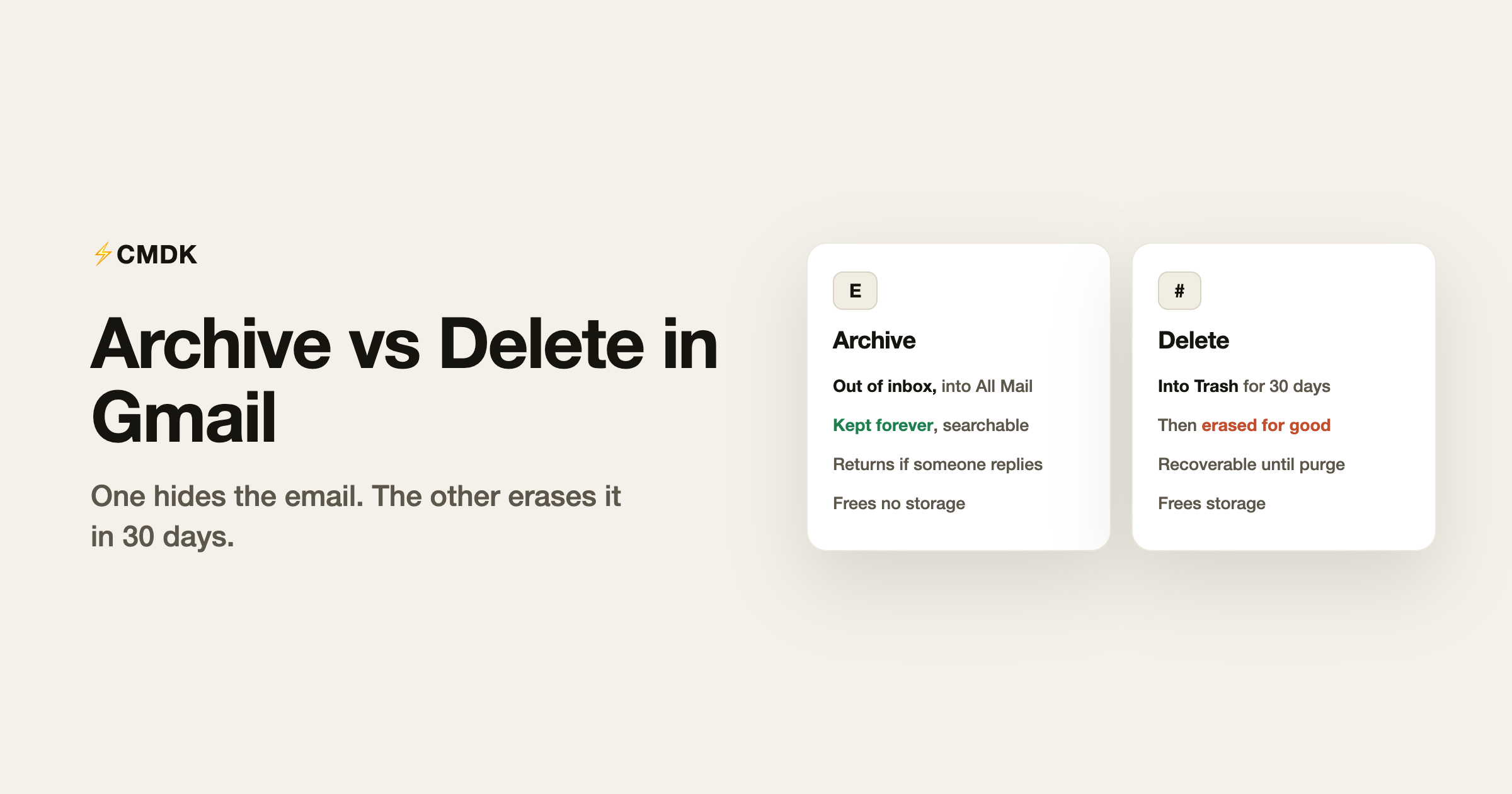
Archive removes an email from your inbox but keeps it forever, searchable and intact. Delete moves it to Trash, where it is erased for good after 30 days. That one difference decides everything else: archive when you are done with an email but might conceivably need it, delete when it should not exist in your account at all.
Watch archive vs delete explained, plus keyboard shortcuts (E and Del):

Gmail nudges everyone toward archive (it is the more prominent button, and the E shortcut) because Gmail was designed around search rather than folders. For most mail, that nudge is right. Here is the full picture.
What archive actually does
Archiving removes the Inbox label from a conversation. Nothing else changes: the email keeps every other label, stays in All Mail, remains searchable, and comes back to the inbox by itself if anyone replies to the thread.
That last behavior surprises people and is genuinely useful: archive is “done for now,” and the thread un-archives itself the moment it becomes active again.
Where do archived emails go? All Mail, in the left navigation under More. There is no separate Archive folder; All Mail is simply every email you have, inbox or not. To find something you archived, search for it, or browse All Mail. To rescue a specific archived email back to the inbox, open it and click Move to Inbox.
What delete actually does
Deleting moves the conversation to Trash. It stays there for 30 days, still recoverable: open Trash, select it, Move to Inbox. After 30 days Gmail erases it permanently, and no support ticket brings it back.
Deleted mail is also the only kind that returns storage. Trash contents still count against your quota until they are purged; emptying Trash manually (the “Empty Trash now” link) reclaims the space immediately.
The decision rule
Archive is the default; delete is for specific categories:
- Archive: anything with information value, however small. Receipts, confirmations, work threads, personal correspondence, anything you might search for once in five years. Storage cost: negligible for text.
- Delete: things with no future value that carry real bulk or real risk. Promotions and newsletters you have read (bulk), anything with attachments you no longer need (a 20 MB deck is 4,000 text emails’ worth of quota), and mail containing credentials or sensitive data you do not want sitting in a searchable account forever.
If your storage bar is the actual problem, deleting by size beats deleting by age: the query has:attachment larger:10M surfaces the few hundred emails that hold most of your quota. The complete storage playbook, including Drive and Photos which share the same 15 GB, is in our Gmail cleanup guide.
The keyboard version
With Gmail’s keyboard shortcuts on (Settings, General, Keyboard shortcuts), triage is one key per email: e archives, # deletes, and in CMDK simply Backspace deletes as well. One key per decision is what makes a zero inbox practical rather than aspirational; the rest of the keys are on our shortcuts cheat sheet.
For clearing a backlog rather than triaging one email at a time, select-all plus archive (or delete) processes thousands at once; the exact workflow, including the “select all conversations that match this search” link most people miss, is in the mass-delete guide.
What about Mute?
Mute is archive’s aggressive sibling for group threads: the conversation skips your inbox even when new replies arrive (direct messages to you still come through). Open the thread, three-dot menu, Mute. It is the right tool for the reply-all chain about the office holiday party.
FAQ
What is the difference between archive and delete in Gmail?
Archiving removes an email from your inbox but keeps it in All Mail, so it stays fully searchable and still counts toward your storage. Deleting moves the email to Trash, where it is held for 30 days and then permanently erased, which is the only path that actually frees up space. Archive a message when you might need it again and just want it out of the way; delete it when you are sure you will never need it. Archiving on its own does not reduce your Google storage.
What does archive mean in Gmail?
Archiving removes an email from your inbox without deleting it. The email stays in All Mail, keeps its labels, remains searchable forever, and returns to your inbox automatically if someone replies to the thread.
Where do archived emails go in Gmail?
To All Mail, under More in the left navigation. There is no dedicated Archive folder; All Mail contains every conversation in your account, whether or not it is in the inbox.
Does archiving emails free up storage in Gmail?
No. Archived email counts against your quota exactly like inbox email. Only deleting mail (and letting Trash purge, or emptying it manually) frees storage.
How do I find emails I archived?
Search for them like any other email, or browse All Mail. To restore one to the inbox, open it and click Move to Inbox. Searching -in:inbox shows only mail that is not in your inbox.
Should I archive or delete promotional emails?
Delete. Promotions have no lookup value, they arrive in volume, and they are the easiest storage win. Better still, unsubscribe so the next one never arrives; a bulk unsubscribe pass takes minutes and fixes the inflow permanently.
Archive or delete, the decision only helps if acting on it is instant. CMDK makes Gmail triage one keystroke per email, adds bulk cleanup for the backlog, and puts every action in a Cmd+K command bar. Install it free.
Related: how to find archived emails in Gmail and move them back to Inbox.




