Gmail loves to hide the actual email address. It shows you “Sarah Chen,” not [email protected]. So when you need the real address, to add it to a CRM, drop it in a form, paste it into Slack, or start a new message somewhere else, you end up hovering, clicking the little expander, squinting at the header, and retyping it by hand. Easy to fumble, easy to typo.
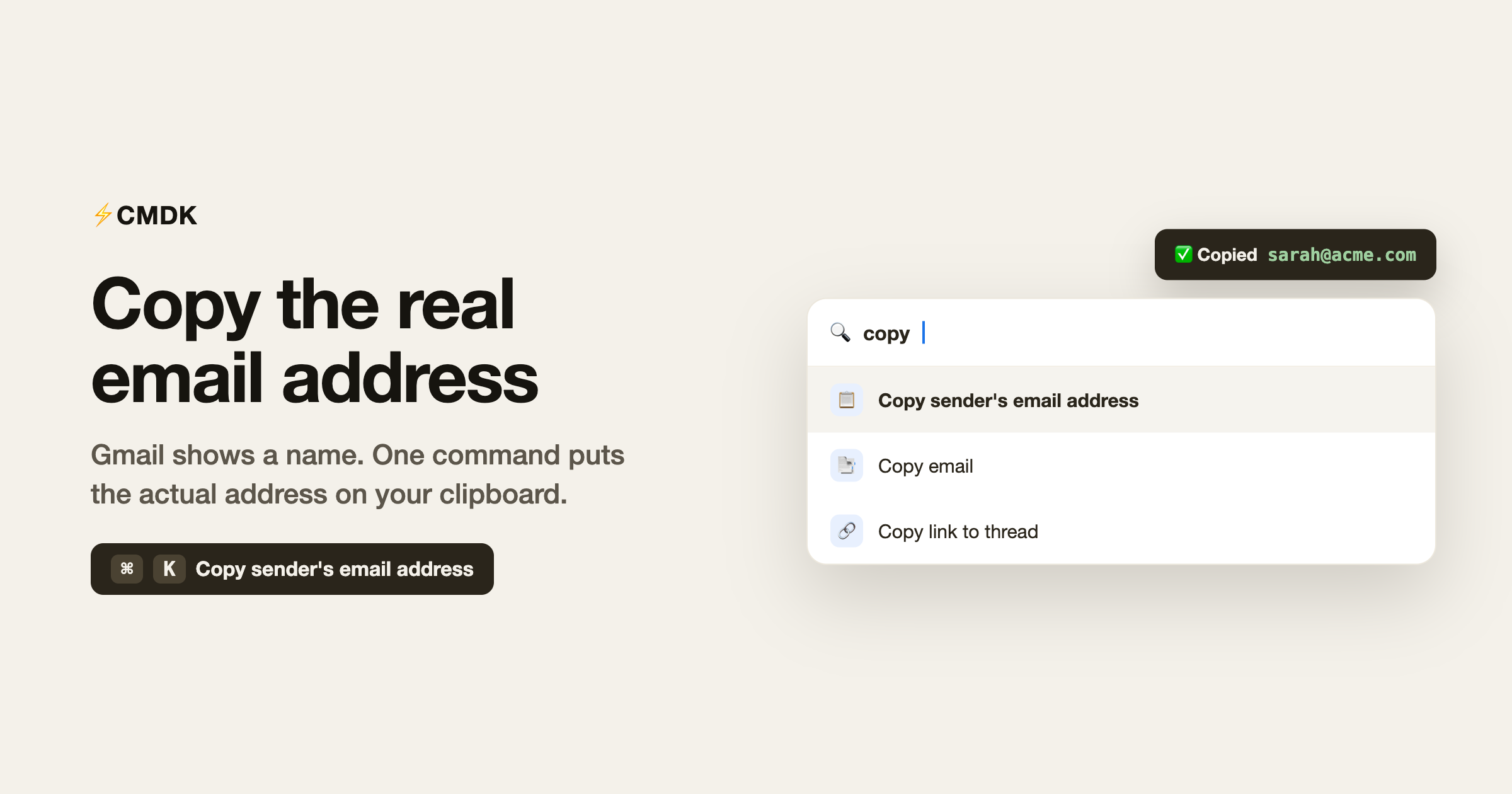
CMDK turns that into one command. Open the command bar, run Copy sender’s email address, and it is on your clipboard, ready to paste anywhere.
What it does
The command grabs the email address of the person who sent the message you are looking at and copies it straight to your clipboard. No expanding the header, no selecting text, no transcription errors. If a thread or message has more than one sender address, it copies them all so you do not have to chase each one.
How to use it
- Open the email (or hover it in the list) whose sender you want.
- Open the command bar with
Cmd + K(Mac) orCtrl + K(Windows). - Type “copy” and pick Copy sender’s email address.
You get a quick confirmation that the address is copied, then paste it wherever you need with Cmd + V or Ctrl + V. When there are several sender addresses, they are copied together as a clean, comma-separated list.
When this saves you
- Adding a contact to a CRM or tool that wants the raw address, not a display name.
- Starting a message in another app (Slack, WhatsApp, a ticketing tool) where you need to type or paste the address.
- Filling out a form that asks for someone’s email.
- Building a list of who emailed you about something, without opening each header.
It is a tiny task you do constantly, and shaving the friction off it adds up.
Why it beats doing it by hand
Gmail’s display name is convenient until the moment you actually need the address. Then the name is in your way. Copying by hand means expanding the header and retyping, which is slow and a common source of typos that quietly break a CRM entry or bounce an email later.
One command removes all of that. You get the exact address, character for character, every time.
Common questions
How do I copy a sender’s email address in Gmail?
Open the command bar with Cmd + K or Ctrl + K, search for “copy,” and run Copy sender’s email address. It lands on your clipboard, ready to paste.
What if the email has more than one sender or address?
CMDK copies all of them as a comma-separated list, so you can paste the full set at once.
Does it copy the address or just the display name?
The actual email address (like [email protected]), not the display name. That is the whole point.
Do I need to open the email first?
You can run it on the open email, and CMDK works on the message you are viewing or hovering, so you do not have to dig into the header yourself.
Is this free?
Yes, it is part of CMDK’s core command bar.
Get the real address in one command
The next time Gmail shows you a name when you needed an address, do not hover and retype. Open the command bar and copy it cleanly.
Install CMDK, open Gmail, and press Cmd + K. Copy sender’s email address is right there when you need it.
Need the whole email, not just the address?
The same one-keystroke idea works for the full message. CMDK’s Instant Copy grabs the entire email, formatting intact, so you can paste it into a doc, a CRM, or an AI tool without dragging a selection. Here is the 40-second demo: