
To copy and paste in Gmail, select the text and press Ctrl+C on Windows or Cmd+C on Mac, then press Ctrl+V or Cmd+V where you want it. To paste without carrying the original fonts and colours over, use Ctrl+Shift+V or Cmd+Shift+V.
That covers copying a few lines. It does not cover copying a whole message, which is where Gmail gets tedious: you have to drag-select the entire body, hope you did not clip the first or last line, and you still lose images. This guide covers both, including how to copy an entire email or thread with a single keystroke.
Copy and paste text in Gmail: the shortcuts
These are browser shortcuts, so they work in Gmail whether or not you have Gmail’s own keyboard shortcuts turned on.
- Copy: Ctrl+C (Windows) or Cmd+C (Mac)
- Paste: Ctrl+V or Cmd+V
- Paste as plain text: Ctrl+Shift+V or Cmd+Shift+V
- Cut: Ctrl+X or Cmd+X, which works in the compose window but not in an email you have received
- Select everything in the compose box: click inside it, then Ctrl+A or Cmd+A
One warning about Ctrl+A while reading an email rather than writing one: it selects the whole Gmail page, including the sidebar and the toolbar, not just the message. That is the usual reason a pasted email arrives with menu labels stuck to the top of it.
How to paste without formatting in Gmail
Gmail’s compose box is a rich text editor, so a normal paste brings the source formatting with it. Text copied out of Word, a web page or another email arrives with its original font, size and colour, which is why pasted paragraphs often look nothing like the rest of your message.
Two ways to strip it:
- Paste with Ctrl+Shift+V or Cmd+Shift+V instead of the plain paste shortcut.
- If you have already pasted it, select the text and use Remove formatting in the formatting toolbar, or press Ctrl+\ on Windows or Cmd+\ on Mac.
How to copy and paste in the Gmail app on your phone
There is no keyboard shortcut on mobile, so it is a long press:
- Press and hold on the text in the email until a selection appears.
- Drag the handles at either end to cover what you want.
- Tap Copy, then press and hold where you want it and tap Paste.
On iPhone and Android alike, selection stops at the boundaries of the message body, so copying a long thread this way means repeating it message by message. If you need a whole thread, do it on a computer.
How to copy an entire email in one keystroke
Selecting a full message by hand is the part that does not scale, especially when you are moving email into another tool several times a day. CMDK adds a copy that does not need a selection at all.
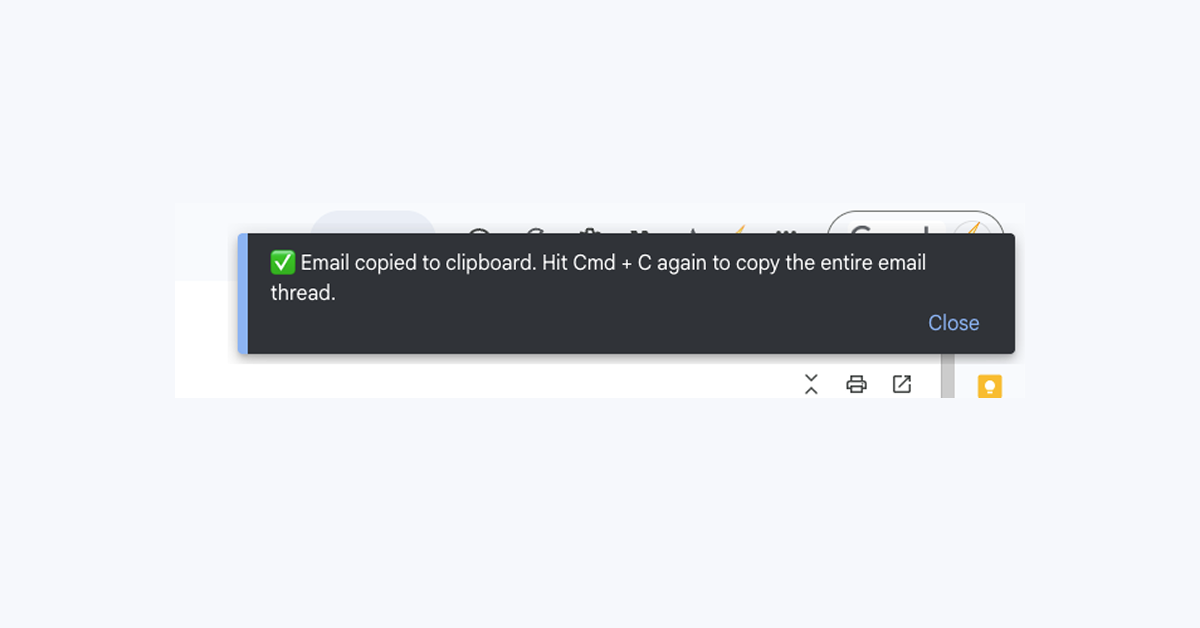
Copy a single email: press Cmd+C on Mac or Ctrl+C on Windows without selecting any text. The email you are reading goes to your clipboard complete with its formatting, images and links.
Copy an entire conversation: press the same shortcut again within a couple of seconds. The full thread is copied, each message clearly separated, with the subject line at the top.
Then paste it wherever you need it. No selecting, no dragging, and nothing to clean up afterwards. This runs in Gmail on a desktop browser, so the manual steps above are still the answer on your phone.
Where this helps
- AI assistants: give ChatGPT, Claude or Perplexity the full context of a conversation to draft a reply, summarise the thread or pull out next steps
- Notes and documents: keep a copy of an email in Notion, Google Docs or Apple Notes
- Team chat: share what was actually said in Slack or Microsoft Teams
- Task managers: move action items into Todoist, Asana or Linear
- CRM and sales tools: log an interaction in Pipedrive, HubSpot or Salesforce
Why copy and paste breaks in Gmail
- Images go missing. Pictures in an email are files hosted elsewhere, and a text selection copies the text around them rather than the files themselves.
- The layout collapses. Marketing emails are built as tables, so pasting one into a document tends to produce a column of fragments.
- The fonts change. That is a normal rich text paste. Use the plain text shortcut above.
- Nothing copies at all. Usually the focus is somewhere else on the page, so click into the message body once and try again.
Frequently asked questions
How do I copy and paste in Gmail?
Select the text, press Ctrl+C on Windows or Cmd+C on Mac, then press Ctrl+V or Cmd+V where you want it. Use Ctrl+Shift+V or Cmd+Shift+V to paste without the original formatting.
How do I copy an entire email in Gmail?
Gmail has no built-in command for it, so by hand you drag-select the whole message body and copy that. With CMDK installed you press Cmd+C or Ctrl+C without selecting anything and the whole email is copied, including formatting and images. Pressing it again copies the entire thread.
How do I paste in Gmail without formatting?
Press Ctrl+Shift+V on Windows or Cmd+Shift+V on Mac. If the text is already pasted, select it and choose Remove formatting in the toolbar, or press Ctrl+\ or Cmd+\.
How do I copy and paste in the Gmail app?
Press and hold the text until a selection appears, drag the handles to cover what you need, then tap Copy. Selection is limited to one message at a time, so whole threads are easier on a computer.
Why does pasting from Gmail lose the images and layout?
Images in an email are hosted files rather than part of the text, and most formatted emails are built as tables, so a text selection copies neither faithfully. Copying the message as a whole rather than as selected text keeps both intact.
Get CMDK
One-keystroke copy is part of CMDK, a command bar for Gmail. It is free to install and does not ask for a card.
Install CMDK on the Chrome Web Store




