
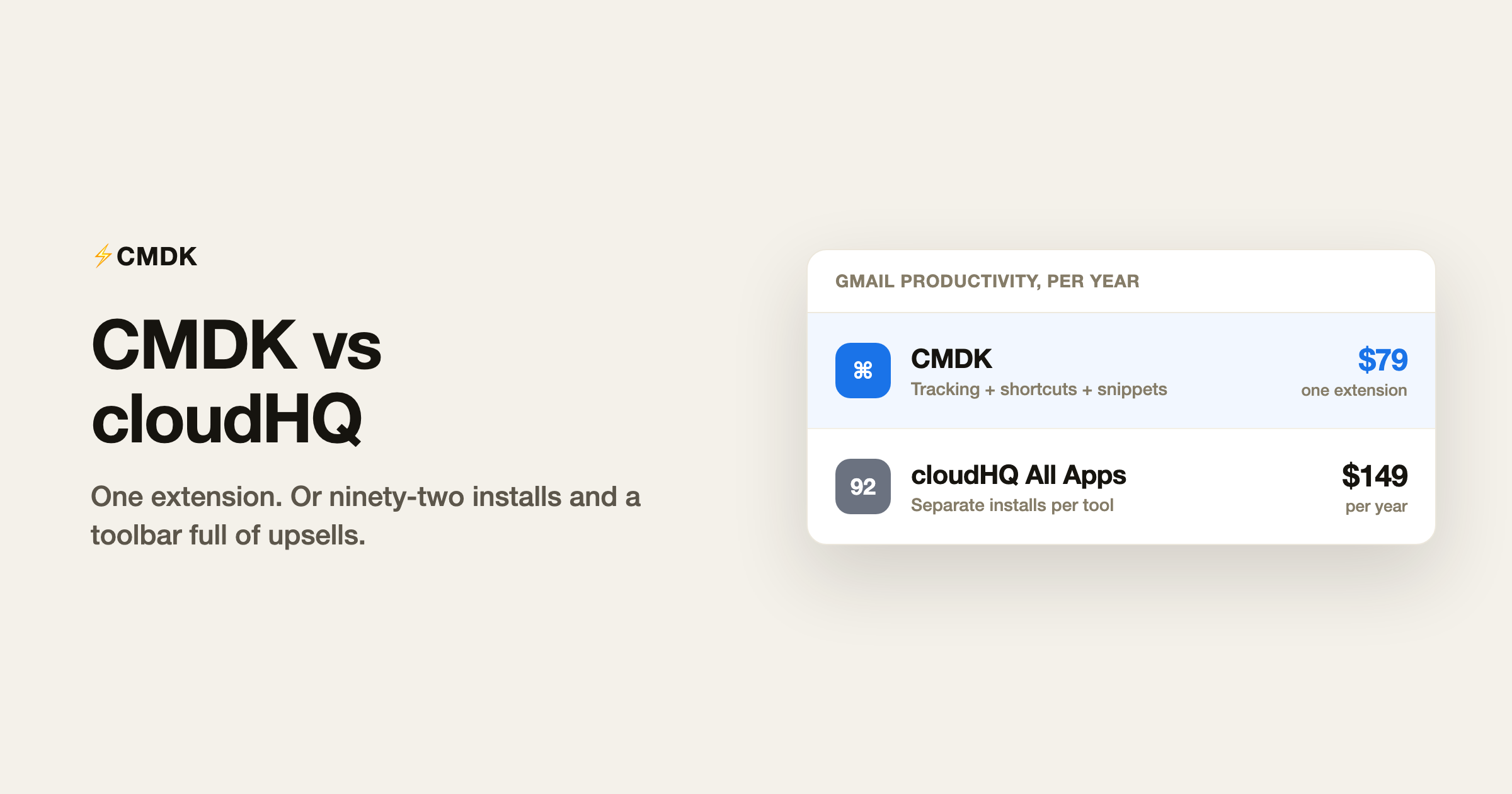
Verdict: cloudHQ and CMDK both run inside Gmail, but they solve different problems. cloudHQ is a publisher of 90-plus separate Chrome extensions (email tracking, templates, campaigns, PDF tools, backup, and more), each with its own install, Gmail UI, and upsell path. CMDK is one extension that bundles read receipts, keyboard shortcuts, snippets, split inbox tabs, snooze, and a command bar for $79 a year. Pick cloudHQ if you need a specific niche workflow like MailKing campaigns or bulk email-to-cloud backup and you are fine managing multiple extensions. Pick CMDK if you want Gmail faster and quieter without a toolbar full of cloudHQ icons, surprise trial expirations, or paying $149 a year for an all-apps bundle to get tracking plus templates.
What cloudHQ actually is
cloudHQ is not one product. It is a suite company: as of late 2026 their catalog lists 92 apps, mostly Gmail Chrome extensions, sold individually or through All cloudHQ Applications bundles ($149/year for one user, $399/year for three users on the public pricing page). Popular Gmail-facing tools include:
- Email Tracker (opens, link clicks, SMS/desktop/email alerts, follow-up reminders)
- Email Templates for Gmail
- Auto Follow Up for Gmail
- MailKing (email campaigns from Gmail)
- Snooze Email, Sort Gmail Inbox, Gmail Tabs
- Multi Email Forward, Label Sharing, Meeting Scheduler
- Dozens of PDF, backup, and cloud-sync utilities
Each extension can add Gmail labels, sidebar panels, compose buttons, and a persistent cloudHQ icon in the top-right of Gmail that cross-promotes other apps. That is the “noisy” part: you did not install one tool, you installed an entry point to ninety-two.
Why people call cloudHQ spammy
This is not about whether the tracking pixels work. It is about how the suite behaves in your inbox:
- Extension sprawl. Need tracking and templates? That is often two installs, two permission prompts, and two sets of Gmail labels. cloudHQ even ships a Chrome Extension Manager extension to manage the clutter their other extensions create.
- Aggressive cross-sell. The Email Tracker listing tells users to click the cloudHQ icon in Gmail to reach settings and “other cloudHQ apps.” Install one extension and you are in their funnel for the rest.
- Notification overload. Email Tracker alone can ping you by SMS, desktop, and email when someone opens a message, plus reminders at 48 hours if nobody opened or replied. Useful for some jobs; noisy for everyone else.
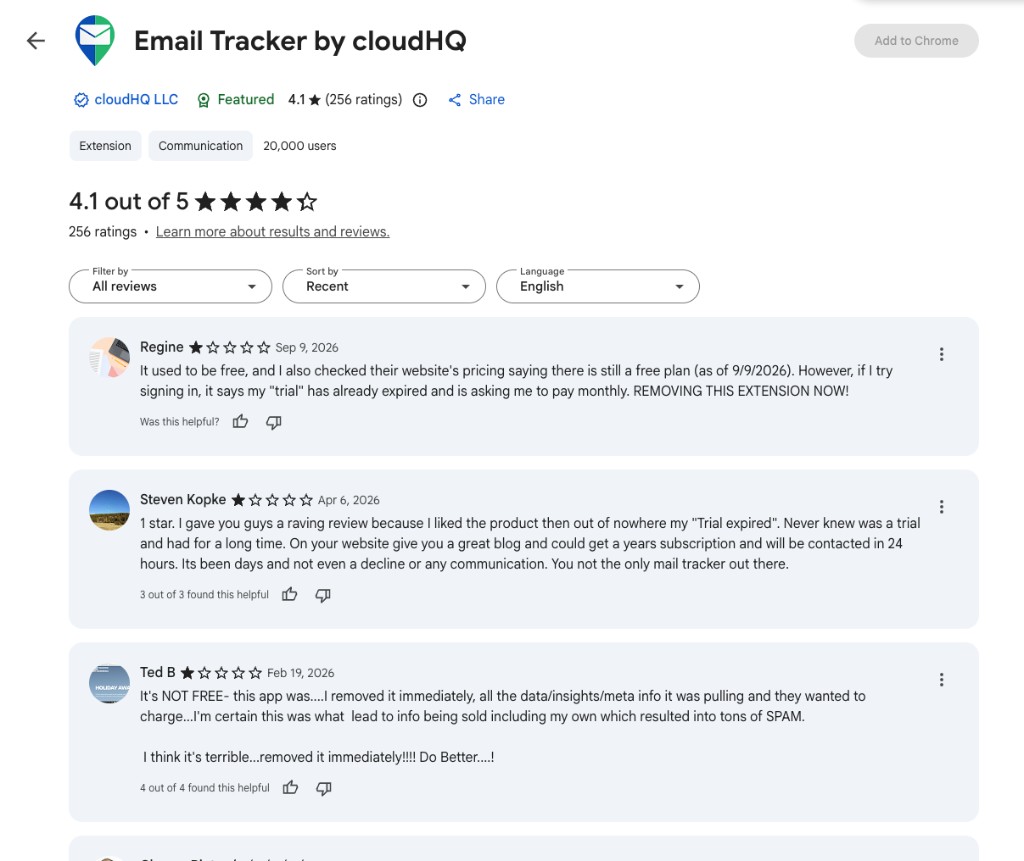
- Bait-and-switch pricing on Email Tracker. The Chrome Web Store still carries years of “free” reviews, but 2026 reviews consistently report a surprise trial expiration and a push to paid plans (often cited around $8-10/month for Email Tracker alone). Users describe this as misleading, not a gentle upgrade.
Recent reviews on the Email Tracker Chrome Web Store listing spell it out:
Marketing email volume. If you got an email calling their outreach “excessive,” you are not alone. A suite publisher with ninety-two products has ninety-two reasons to email you.
CMDK is one extension, one settings page, one bill. Read receipts show inside Gmail without a separate tracking dashboard, label forest, or SMS upsell chain.
CMDK vs cloudHQ: feature overlap
These are the cloudHQ Gmail tools that overlap CMDK’s core job (speed + visibility in Gmail):
| Job | cloudHQ app(s) | CMDK |
|---|---|---|
| Know when email was opened | Email Tracker (+ labels, alerts, Sheets export on paid tiers) | Read receipts built in |
| Follow up if no reply | Email Tracker reminders, Auto Follow Up | Follow-up reminders on sent mail |
| Reusable templates | Email Templates for Gmail | Snippets (type ; in compose) |
| Triage / focus | Sort Gmail Inbox, Gmail Tabs | Split inbox tabs |
| Snooze | Snooze Email | Snooze (Gmail native + CMDK shortcuts) |
| Speed / keyboard workflow | Scattered per extension | Command bar (Cmd+K), 80+ shortcuts |
| Bulk unsubscribe | Not a cloudHQ focus | One-click bulk unsubscribe |
cloudHQ wins where CMDK does not play: MailKing campaigns, email-to-PDF / backup to Drive, label sharing across a team, meeting scheduler, and the long tail of PDF utilities. If your job is “run cold email campaigns from Gmail” or “archive every client email to SharePoint,” cloudHQ has a purpose-built extension. CMDK does not try to be a CRM, campaign tool, or backup suite.
Pricing: suite vs single bill
| CMDK | cloudHQ | |
|---|---|---|
| Model | One extension, all features | 92 apps; pay per app or bundle |
| Read receipts + productivity | Included | Email Tracker + other apps separately |
| All-apps bundle | n/a | $149/year (1 user) or $399/year (3 users) |
| Email Tracker alone (2026 user reports) | n/a (included in CMDK) | Free tier largely gone; ~$8-10/mo cited in recent CWS reviews after “trial expired” |
| CMDK annual price | $79/year | n/a |
| Trial | 15 days, no card | 15 days on paid bundles; Email Tracker trial surprises reported |
| Workspace / unlimited inboxes | Yes | Varies by app |
For the overlap features alone (tracking, templates, follow-ups, inbox organization), cloudHQ’s all-apps plan costs more than twice CMDK and still leaves you managing a catalog. Email Tracker alone, if you only need opens, can approach $96-120/year at monthly rates users report, without shortcuts, snippets, or split inbox.
Who should pick cloudHQ
- You need MailKing or Auto Follow Up sequences for outbound sales at volume.
- You want Save Emails to PDF / Google Drive / SharePoint as a primary workflow.
- You are already deep in three or four cloudHQ extensions and the labels feel worth it.
- You run a team that shares Gmail labels (Label Sharing).
Who should pick CMDK
- You tried cloudHQ and Gmail feels cluttered, alert-heavy, or upsell-heavy.
- You want read receipts plus speed (shortcuts, command bar, snippets, split inbox) in one install.
- You do not want to discover a “trial expired” wall on a tool you thought was free.
- You prefer $79/year for everything over $149/year for ninety-two apps you will never open.
Frequently asked questions
Is cloudHQ safe?
cloudHQ is a long-running publisher (Email Tracker shows 20,000+ Chrome Web Store users and a 4.1 rating). The safety question users actually mean is twofold: (a) does tracking expose your recipients to pixels, which any tracker does by design, and (b) does the suite behave trustworthily on pricing and marketing. Recent Email Tracker reviews focus heavily on (b): surprise paywalls after years of free use and slow support response when billing breaks.
Is CMDK better than cloudHQ Email Tracker?
For most individuals who only wanted open tracking, yes. CMDK includes read receipts inside Gmail, pairs them with follow-up reminders, and adds the productivity layer (Cmd+K, shortcuts, snippets, split inbox) without a separate tracking dashboard, SMS alerts, or a second extension. cloudHQ Email Tracker is deeper if you need SMS pings, link-click drill-down, or Google Sheets export of every open.
Can I use CMDK and cloudHQ together?
You can, but you probably should not. Two extensions fighting for compose-bar space, duplicate tracking pixels, and overlapping labels make Gmail slower and noisier. Most people comparing them want one stack, not both.
How many cloudHQ extensions do people actually install?
The business model assumes several. Their support docs push the All Applications bundle once you use “more than two or three apps.” If you only need tracking, you still get nudged toward the full catalog.
Does CMDK sell my email data?
No. CMDK does not read or store email body content; it uses your address and name for account setup. See our privacy policy and the read receipts explainer for how tracking works.
Want Gmail with receipts and speed, not a billboard of extensions? Install CMDK and try it free for 15 days.
Only need open tracking? Compare CMDK vs Mailtrack next.




