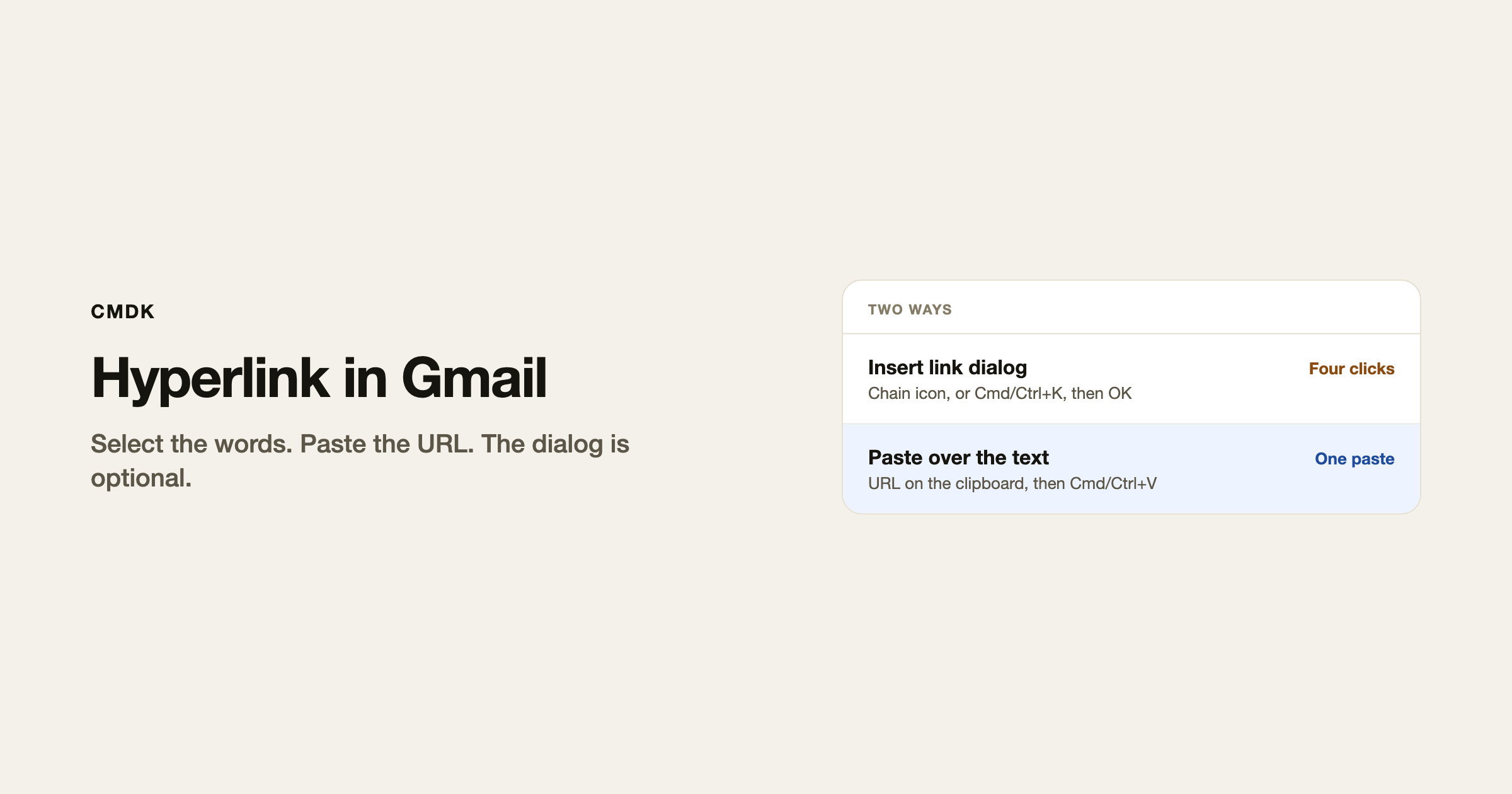
To hyperlink text in Gmail, select the words, then either click the chain-link icon (or press Cmd+K / Ctrl+K) and paste the URL, or paste the URL straight onto the selected text. The second path needs CMDK.
How to hyperlink in Gmail (desktop)
- Open a compose, reply, or forward window.
- Select the words that should be the link.
- Click the chain-link icon in the formatting bar, or press
Cmd+K(Mac) /Ctrl+K(Windows). Do not confuse it with the paperclip, which attaches a file. - Paste the URL. Click OK.
The selected words become the link. To change the URL later, click the linked text and click Change.
This is Gmail’s own dialog. It works in a new email, a reply, and a forward. It does not work in the Gmail app the same way; on a phone you usually paste the raw URL and Gmail makes it clickable after you send.
Paste the URL over the text
Select the words, copy the URL, paste. CMDK turns that paste into a hyperlink instead of replacing the words with the raw address.
- Select the text.
- Copy the URL.
- Paste with
Cmd+V/Ctrl+V.
Undo with Cmd+Z / Ctrl+Z if you wanted the plain URL. Turn Paste as Link off in CMDK settings, Keyboard Shortcuts, if you want Gmail’s default paste back.
Hyperlink in a Gmail signature
Settings, See all settings, General, Signature. Select the words in the signature editor, then use the same chain-link control. Paste as Link also works in that editor while CMDK is on.
Frequently asked questions
How do I hyperlink in Gmail?
Select the text, click the chain-link icon or press Cmd+K / Ctrl+K, paste the URL, click OK. Or select the text and paste the URL with CMDK.
What is the keyboard shortcut to insert a link in Gmail?
Cmd+K on a Mac, Ctrl+K on Windows, while you are in compose with text selected. That opens Gmail’s insert-link dialog.
Can I hyperlink in the Gmail app?
The mobile app does not have the same formatting bar. Paste the URL in the body. Recipients get a clickable link.
Why did paste replace my words with a URL?
That is Gmail without Paste as Link. Install CMDK, or use the chain-link dialog.
CMDK is the Gmail extension that turns a pasted URL into a hyperlink on the selected text.