
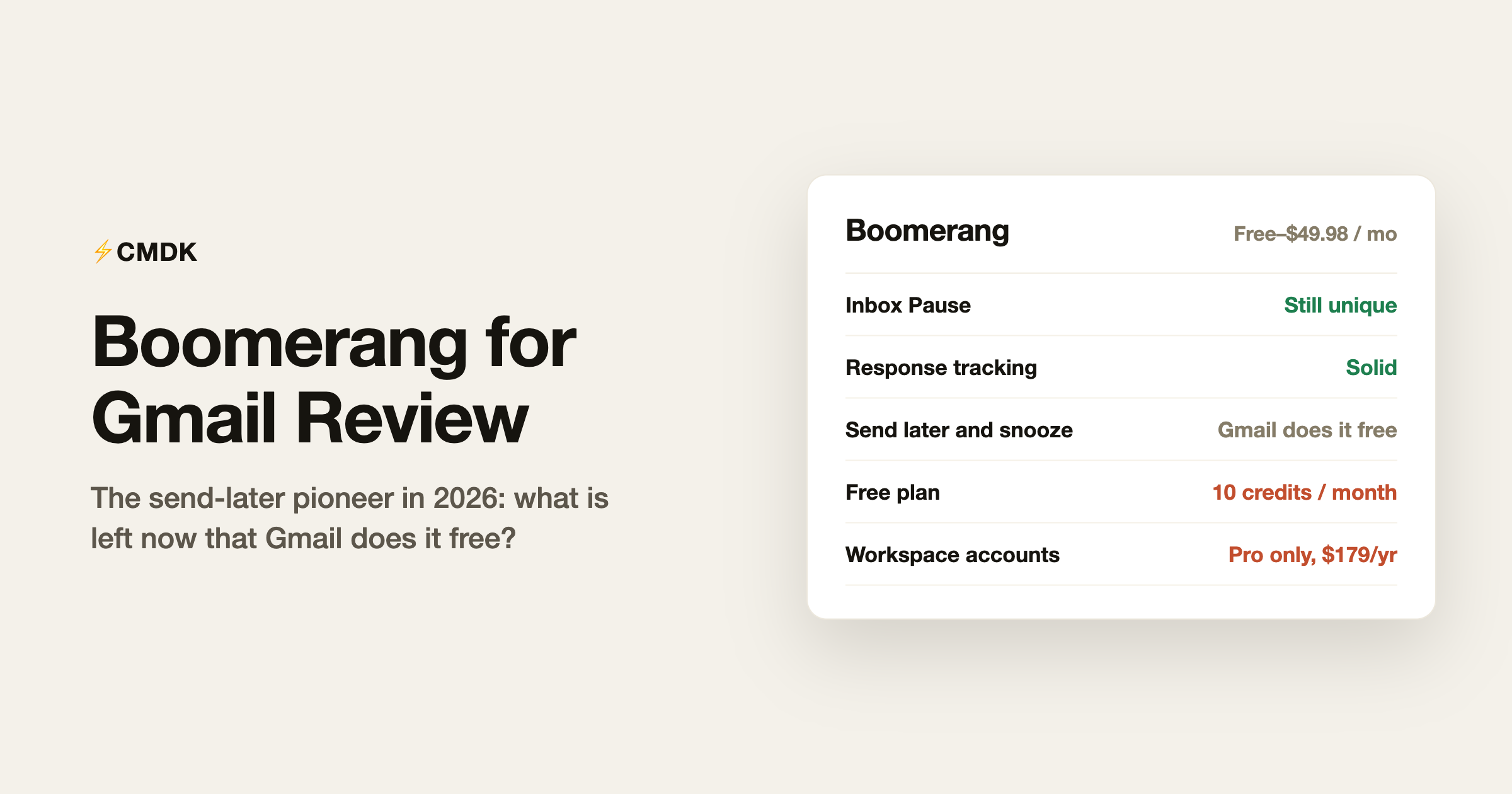
Verdict: Boomerang in 2026 is worth $180 a year only if you specifically need Inbox Pause, response tracking and recurring messages on Google Workspace. For everyone else, start with the send-later and snooze Gmail now includes for free, and add a cheaper, faster layer like CMDK if you want more.
For Gmail read receipts without a separate dashboard, see read receipts for Gmail.
Boomerang invented the send-later button. In 2010, scheduling an email or bouncing it back to your inbox at a chosen time was magic, and Boomerang was the only way to get it. In 2026, Gmail schedules emails and snoozes threads natively, for free, and the honest question about Boomerang is what is left once its two signature tricks became stock features.
The answer: a decent amount, but less than the price ladder suggests. Here is what Boomerang does well, what Gmail took from it, and who should still pay for it. Disclosure up front: we build CMDK, a Gmail extension that overlaps with parts of Boomerang, so we are a competitor with an opinion. The facts below are current as of July 2026.
What Boomerang is
Boomerang is a browser extension for Gmail (with a separate product for Outlook) made by Baydin, one of the longest-running Gmail tool makers. It adds a row of scheduling controls to Gmail: send later, return-this-to-my-inbox reminders, follow-up tracking, read receipts, recurring messages, an AI writing coach called Respondable, meeting scheduling, and its most distinctive modern feature, Inbox Pause, which holds incoming mail so it cannot interrupt you.
Pricing
- Basic: free, 10 message credits a month. Every scheduled send, reminder, or tracked message costs one credit.
- Personal: $4.98/month billed annually ($59.76/year). Unlimited credits, mobile apps, but only for @gmail.com addresses; Google Workspace accounts are excluded.
- Pro: $14.98/month billed annually ($179.76/year). The most popular plan: Workspace support, Respondable with machine learning, advanced Inbox Pause, recurring messages.
- Premium: $49.98/month billed annually ($599.76/year). Track by default, Salesforce integration, the Toolbox utilities, priority support.
New accounts get a 30-day Pro trial with no card required, then drop to Basic. Note the shape of that ladder: the plan most working people need (Pro, because Personal excludes Workspace accounts) costs about $180 a year.
What Boomerang still does well
Inbox Pause. The best thing in the product today. Pause delivery entirely, or let only chosen senders through, and mail arrives on a schedule you set instead of the moment it is sent. Gmail has nothing like it, and for deep-work people it is genuinely valuable.
Response tracking. Boomerang’s original loop is still solid: send an email, and if nobody replies within your window, it comes back to the top of your inbox. Gmail’s own “nudges” do something similar but on Google’s terms; Boomerang lets you set the terms.
Recurring messages. Send the same email on the first Monday of every month without thinking about it. Niche, but the people who need it really need it.
Respondable. A sidebar that scores your draft on length, politeness, reading level, and predicted reply rate as you type. More of a nice coach than a must-have, the machine-learning version is gated behind Pro, and Gmail’s built-in Gemini now offers writing help and proofreading natively.
Where it shows its age
Gmail ate the headline features. Schedule send and snooze, the two things Boomerang was famous for, have been native Gmail buttons since 2018-2019. A large share of what people historically paid Boomerang for is now free.
The credit system. On the free plan, ten actions a month is roughly two working days of normal use. It functions as a demo.
The Personal plan trap. The affordable tier excludes Google Workspace addresses entirely. If you use email for work at a company domain, your real starting price is $179.76 a year.
The interface is dated. Boomerang’s dialogs and buttons look and feel like the 2015 Gmail they were designed for. Everything works, but nothing is fast: it is a mouse-driven tool in an era where the best email tools are keyboard-driven.
Is Boomerang safe?
Yes, by the standards that matter for Gmail extensions. Boomerang signs in through Google OAuth, so it never sees or stores your Google password, and tools with this level of mailbox access must pass Google’s recurring third-party security assessment to keep their Gmail API access. Baydin has run Boomerang since 2010, one of the longest track records of any Gmail tool.
The honest caveat applies to Boomerang and every tool in this category, including ours: scheduling, tracking, and bouncing messages requires read and write access to your mailbox. If you stop using it, revoke its access from your Google Account’s security settings under third-party apps, rather than only uninstalling the extension.
Boomerang vs CMDK
The two products overlap on follow-up reminders, read receipts, and generally making Gmail do more, but they come from different eras and philosophies. Boomerang adds scheduling buttons to your mouse workflow. CMDK adds a keyboard layer to all of Gmail: a Cmd+K command bar, one-key archive and delete, split inbox tabs, snippets, read receipts, follow-up reminders, bulk cleanup, and auto CC/BCC.
- Follow-up reminders: both. Boomerang bounces the thread back; CMDK reminds you if there is no reply.
- Read receipts: both. Boomerang gates click tracking to paid plans; CMDK includes read receipts on every plan.
- Inbox Pause and recurring send: Boomerang only. If either is your reason to pay, Boomerang is the right buy.
- Command bar, keyboard shortcuts, split inbox, snippets, bulk unsubscribe and sender cleanup: CMDK only.
- Price: Boomerang Pro is $179.76/year. CMDK is $69/year or $169 once, lifetime.
Shortest version: buy Boomerang for Inbox Pause and recurring messages; buy CMDK to move through email faster. For scheduling and snooze alone, buy neither, because Gmail already gave you those.
Verdict
Boomerang in 2026 is a well-built tool whose central features became free Gmail buttons, now priced as if they had not. Inbox Pause, response tracking, and recurring messages still justify it for a specific user: someone on Google Workspace whose job depends on follow-up discipline and uninterrupted focus blocks, and who does not mind paying $180 a year for it. For everyone else, start with what Gmail now includes, and add a faster, cheaper layer like CMDK if you want more than the basics.
Frequently asked questions
Is Boomerang for Gmail free?
There is a free Basic plan, but it includes only 10 message credits per month, and every scheduled send, reminder, or tracked email uses one. Regular use requires a paid plan, starting at $4.98/month (annual) for personal @gmail.com addresses or $14.98/month for Google Workspace accounts.
What happened to the need for Boomerang’s send later?
Gmail added native Schedule send in 2019 (the arrow next to the Send button) and native snooze in 2018. Both are free and cover what most people used Boomerang for. Boomerang’s remaining edge is response tracking, recurring messages, and Inbox Pause.
Is Boomerang safe to use with Gmail?
Boomerang is a long-established product (running since 2010) that uses Google’s OAuth verification and has passed Google’s third-party security assessments. Like any email extension, it requires access to your mailbox to schedule and track messages.
What is Boomerang’s Inbox Pause?
Inbox Pause holds incoming mail in a hidden label so it does not appear in your inbox until you unpause or until scheduled delivery times you choose. Paid plans can allow specific senders or domains through the pause. It is Boomerang’s most distinctive feature and has no native Gmail equivalent.
What is the best alternative to Boomerang for Gmail?
It depends on which feature you use. For scheduling and snooze, native Gmail is free and enough. For speed features like keyboard-driven triage, snippets, read receipts, and follow-up reminders, CMDK covers them at $69/year. For AI-drafted replies, Gmail’s built-in Gemini covers the basics free, or look at tools like Fyxer or Shortwave for heavier automation.
Want the follow-up reminders and read receipts without the credit math? CMDK adds them to Gmail with a 15-day free trial, no credit card needed.
Want a read-receipt tool without installing a dozen Gmail extensions? Read CMDK vs cloudHQ.
Comparing follow-up tools? The CMDK vs Boomerang comparison covers the price and feature math in detail.




