
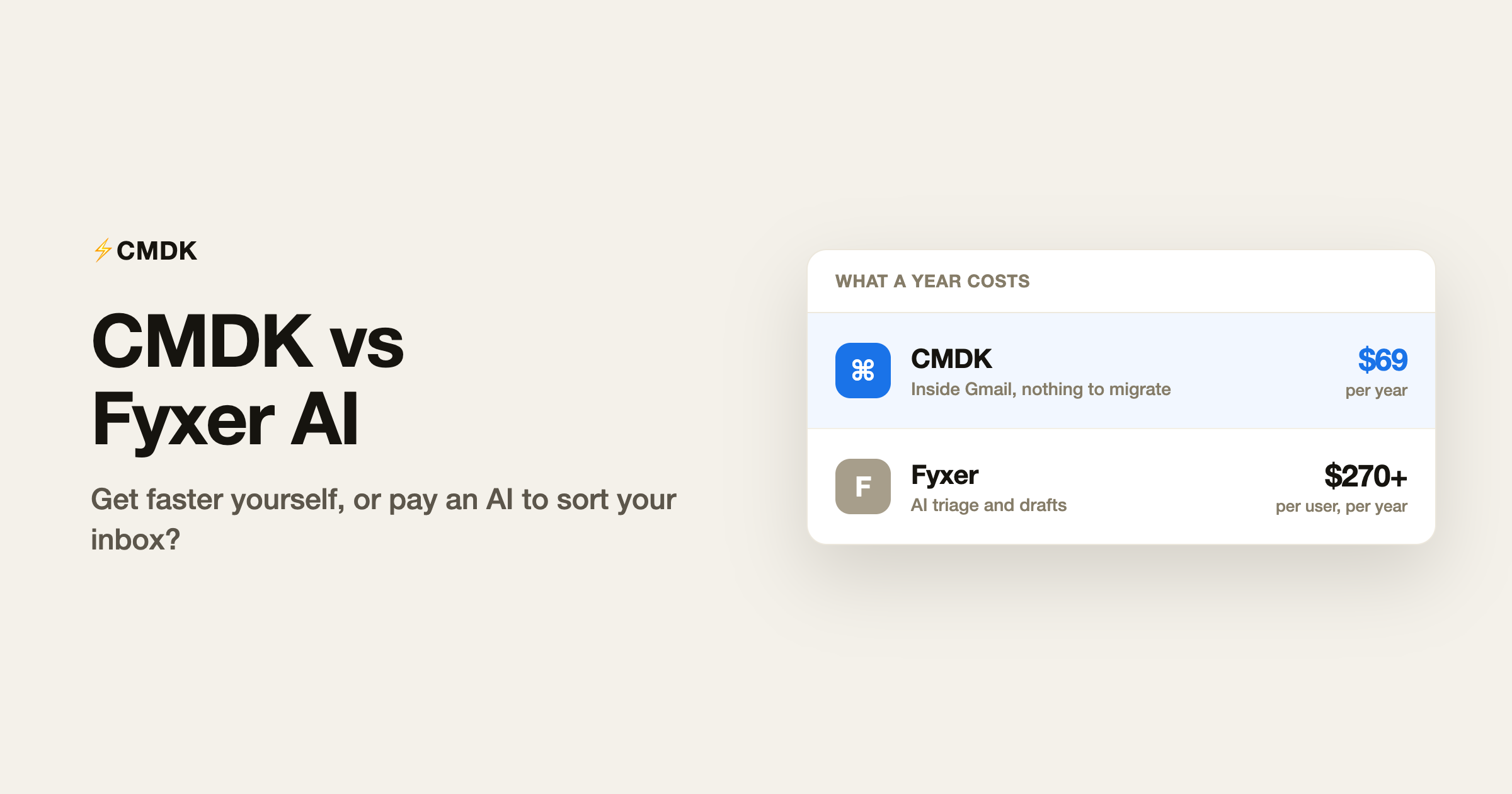
Verdict: Pick Fyxer if you want an AI to triage your inbox, draft replies and take meeting notes in the background, and $270 to $600 a year is worth off-loading that work. Pick CMDK if you would rather stay in control and just be faster yourself, with shortcuts, read receipts and reminders for $69 a year flat.
CMDK and Fyxer represent the two competing theories of fixing email. Fyxer is automation: an AI that triages your inbox, drafts replies in your voice and takes meeting notes, working in the background for $30 to $50 per user per month. CMDK is speed: a Cmd+K command bar, one-key triage, split inbox tabs, snippets, read receipts and follow-up reminders that make you several times faster inside Gmail, for $69 a year. Fyxer works for you; CMDK makes you faster. At 80 or more emails a day with a heavy meeting load, Fyxer’s $450 a year can pay for itself. Below that, you are paying assistant wages for sorting Gmail can do free.
The fundamental difference
Fyxer changes what happens to your email before you see it. It files incoming mail into folders, writes draft replies it thinks you would write, and attends your meetings to produce notes. You keep your existing Gmail interface; Fyxer works behind it. The trade is money and control: $30 a month for one inbox, $50 for more than one, and an AI making filing decisions for you.
CMDK changes how fast you move through email yourself. Nothing is filed or drafted without you; you just execute every action in a keystroke instead of a click-hunt. The trade runs the other way: you do the work, several times faster, for $69 a year.
Feature by feature
| Feature | CMDK | Fyxer |
|---|---|---|
| AI triage into folders | No, you triage in one keystroke | Yes, automatic |
| AI drafted replies | Via Gmail’s built-in Gemini (free) | Yes, its core feature |
| Meeting notetaker | No | Yes |
| Command palette | Cmd+K in Gmail | No |
| Split inbox / focused tabs | Yes | Via its AI folders |
| Snippets / templates | Yes | No, drafts instead |
| Read receipts | Yes | No |
| Follow-up reminders | Yes | No |
| Multiple inboxes | One Gmail account per license | Professional plan ($50/mo) |
| Price | $69/year | $30 to $50 per user/month |
What Fyxer genuinely does better
Volume absorption. If you receive 80 or more emails a day around a calendar full of calls, Fyxer’s triage works out of the box, its drafts are usable enough to save real time, and the notetaker replaces a separate tool. It requires no behaviour change at all, which is exactly what a certain kind of overloaded executive wants. Our full Fyxer AI review covers where it earns its price.
What CMDK does better
Cost, control and the fine print. CMDK is $69 a year; Fyxer is $270 to $600 per user per year, and its billing has traps our review documents from Fyxer’s own help pages: the 7-day trial converts to paid automatically with no reminder email, and every seat sitting in your workspace when the trial ends is included in the first charge. CMDK has no equivalent surprise, and its features, read receipts, follow-up reminders, snippets, bulk sender cleanup, are things Fyxer simply does not have. If your problem is processing speed rather than volume, speed tooling beats automation. The drafting half of Fyxer’s pitch has also thinned: Gmail now ships Gemini built in, and Help me write plus Suggested Replies draft in context at no cost, from Google’s own model rather than a third party that has to read your whole mailbox. What is left of Fyxer’s case is the automatic background triage and the meeting notetaker.
How to switch from Fyxer to CMDK
Fyxer works behind Gmail rather than replacing it, so switching is mostly about turning things off cleanly:
- Cancel before the renewal date, and remember the billing fine print: every seat in the workspace gets charged, and no reminder email arrives before a trial converts.
- Decide what to do with the folders Fyxer created. The labels stay in Gmail; keep them as filter targets or remove them.
- Revoke Fyxer’s mailbox access under Google account security so nothing keeps reading your mail in the background.
- Install CMDK and build split inbox tabs from rules you set yourself; one-key triage replaces waiting on the AI’s filing decisions.
- For drafting, Gmail’s built-in Gemini covers Help me write and Suggested Replies at no cost. The one thing with no CMDK equivalent is the meeting notetaker; keep a dedicated one if you need it.
The decision in one table
| You | Pick |
|---|---|
| 80+ emails a day, heavy meeting load, budget for $450/year | Fyxer |
| Want to stay in control of what gets filed and sent | CMDK |
| Need read receipts and follow-up reminders | CMDK |
| Want AI to draft replies in your voice | Fyxer |
| Under ~50 emails a day | CMDK |
Frequently asked questions
Is CMDK better than Fyxer AI?
They solve different problems. CMDK is better if you want to process email faster yourself, with triage, snippets, read receipts and reminders for $69 a year. Fyxer is better if you want an AI to sort your mail in the background, and your email volume justifies $270 to $600 a year per person. For drafted replies alone, Gmail’s built-in Gemini now does that at no cost.
Can I use CMDK and Fyxer together?
Yes. Fyxer works in the background sorting and drafting, while CMDK speeds up the Gmail interface where you review Fyxer’s work. The real question is whether you need both; most people’s volume justifies one or the other.
How much does Fyxer AI cost compared to CMDK?
Fyxer Starter is $30 per user per month ($22.50 billed annually) for one inbox; Professional is $50 ($37.50 annually) for multiple inboxes. That is $270 to $600 a year. CMDK is $69 a year flat, with a 15-day free trial.
Does Fyxer have read receipts?
No. Fyxer focuses on triage, drafted replies and meeting notes. Read receipts, follow-up reminders and snippets are CMDK features.
If you would rather be fast than automated, install CMDK and try every feature free for 15 days.
Related: CMDK vs Cora, if the AI reads the inbox for you, and Gemini, ChatGPT, Claude, and Grok for email. For a filter that holds mail, see CMDK vs Mailman and CMDK vs SaneBox.




