
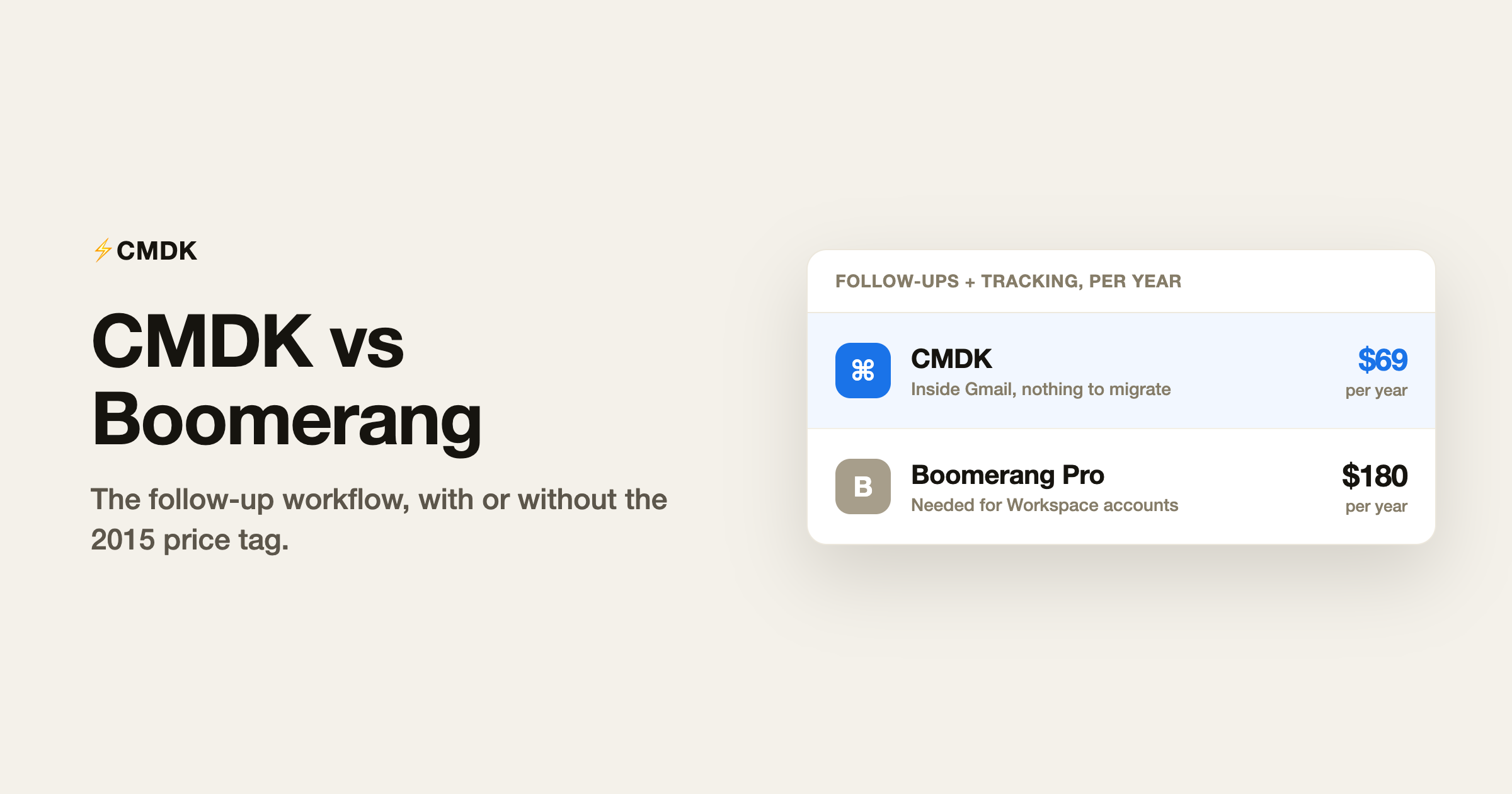
Verdict: Boomerang only makes sense now if you specifically need Inbox Pause and recurring messages and will pay about $180 a year for them. For everyone else, Gmail already schedules and snoozes for free, and CMDK adds follow-up reminders plus read receipts for $69 a year.
For Gmail read receipts without a separate dashboard, see read receipts for Gmail.
Boomerang was the original Gmail power-up: send later and snooze, years before Gmail had either. In 2026 Gmail schedules and snoozes natively for free, so the comparison comes down to what is left. Boomerang’s remaining case is follow-up discipline: response tracking, recurring messages and Inbox Pause, at $179.76 a year for the Pro plan most working people need. CMDK covers the follow-up job, reminders on sent email plus read receipts, inside a broader speed toolkit, command bar, one-key triage, split inbox, snippets, bulk sender cleanup, for $69 a year. Unless Inbox Pause or recurring messages is your specific must-have, CMDK does the modern version of Boomerang’s job at a third of the price.
The fundamental difference
Boomerang is a follow-up tool priced before Gmail caught up. Its two signature features became stock Gmail buttons, and its ladder now charges for what remains: the free plan allows 10 message credits a month, roughly two working days of normal use, the $4.98 Personal plan excludes Google Workspace accounts entirely, so anyone using email for work starts at Pro, $14.98 a month billed annually, $179.76 a year. And the catch-up continues: Gmail now ships Gemini built in, whose Help me write and Suggested Replies cover the writing-help ground of Boomerang’s Respondable coach at no cost.
CMDK is a speed layer built after Gmail caught up. It does not re-sell schedule send or snooze; it adds what Gmail still lacks: a command palette, one-key triage, split inbox tabs, snippets with variables, read receipts and follow-up reminders, in one $69 a year plan that works with Workspace accounts.
Feature by feature
| Feature | CMDK | Boomerang |
|---|---|---|
| Schedule send | Native Gmail (free) | Yes (also now native) |
| Snooze | Native Gmail (free) | Yes (also now native) |
| Follow-up reminders on sent email | Yes | Yes (“boomerang if no reply”) |
| Read receipts / open tracking | Yes | Yes, on paid plans |
| Recurring messages | No | Yes |
| Inbox Pause | No | Yes |
| Command palette | Cmd+K in Gmail | No |
| One-key triage | Yes | No |
| Split inbox / focused tabs | Yes | No |
| Snippets / templates | Yes | No |
| AI writing help | Gmail’s built-in Gemini (free) | Respondable coach |
| Works with Google Workspace | Yes | Pro plan and up only |
| Price | $69/year | Free (10 credits/mo); Pro $179.76/year |
What Boomerang genuinely does better
Two features CMDK does not have. Inbox Pause literally stops mail from arriving during focus blocks, and recurring messages automate weekly or monthly sends, invoices, reminders, standing updates. If either is central to how you work, Boomerang is the tool that has them, and our Boomerang review covers who that user is: someone on Workspace whose job depends on follow-up discipline and uninterrupted focus.
What CMDK does better
Everything else, for less. The core follow-up job, know whether your email was opened and get reminded when nobody replies, is CMDK’s read receipts plus follow-up reminders, included at $69 a year. Around it sit the speed features Boomerang never built: the command bar, one-key archive and navigation, split inbox tabs that separate people from notifications, snippets for the replies you type weekly, and bulk sender cleanup. Boomerang Pro costs $179.76 a year and none of those come with it.
How to switch from Boomerang to CMDK
Boomerang is also an extension, so there is no client to migrate away from, but its scheduled actions live on Boomerang’s servers:
- Let pending boomerangs and scheduled sends complete, or cancel them from Boomerang’s manage page before you close the account.
- Recreate recurring messages somewhere else if you depend on them; neither Gmail nor CMDK automates repeating sends.
- Cancel the subscription, uninstall the extension, and revoke its access under Google account security.
- Gmail natively covers schedule send and snooze. Install CMDK for the rest of the job: read receipts, follow-up reminders on sent email, snippets, one-key triage and the command bar.
Inbox Pause is the one habit without a direct replacement; the closest Gmail-native approach is a filter that skips the inbox during focus blocks.
The decision in one table
| You | Pick |
|---|---|
| Need Inbox Pause or recurring messages specifically | Boomerang |
| Want open tracking + follow-up reminders at the best price | CMDK |
| Want speed features beyond follow-ups | CMDK |
| On the free tier and under 10 actions a month | Boomerang Basic |
| On Google Workspace and price-sensitive | CMDK |
Frequently asked questions
Is CMDK better than Boomerang?
For most Gmail users in 2026, yes. Boomerang’s signature features, schedule send and snooze, are now free native Gmail buttons, and its remaining follow-up features cost $179.76 a year on the plan that supports work accounts. CMDK covers follow-up reminders and read receipts inside a larger speed toolkit for $69 a year.
What does Boomerang have that CMDK does not?
Inbox Pause, which stops incoming mail during focus time, and recurring messages, which automate repeating sends. If either is essential to you, Boomerang keeps its case.
Is Boomerang still free?
The Basic plan is free but limited to 10 message credits a month, about two working days of normal use. The Personal plan at $4.98 a month excludes Google Workspace accounts, so most professionals need Pro at $14.98 a month billed annually.
Do CMDK follow-up reminders work like Boomerang’s?
Yes, the job is the same: set a reminder when you send an email, and if no reply arrives by then, the thread resurfaces. CMDK pairs it with read receipts so you can also see whether the message was opened.
Get the modern version of the follow-up workflow: install CMDK and try it free for 15 days.
Also weighing scheduling extensions? See CMDK vs Right Inbox.
Evaluating other Gmail Chrome extensions too? See CMDK vs cloudHQ for the 90-extension suite case.




