
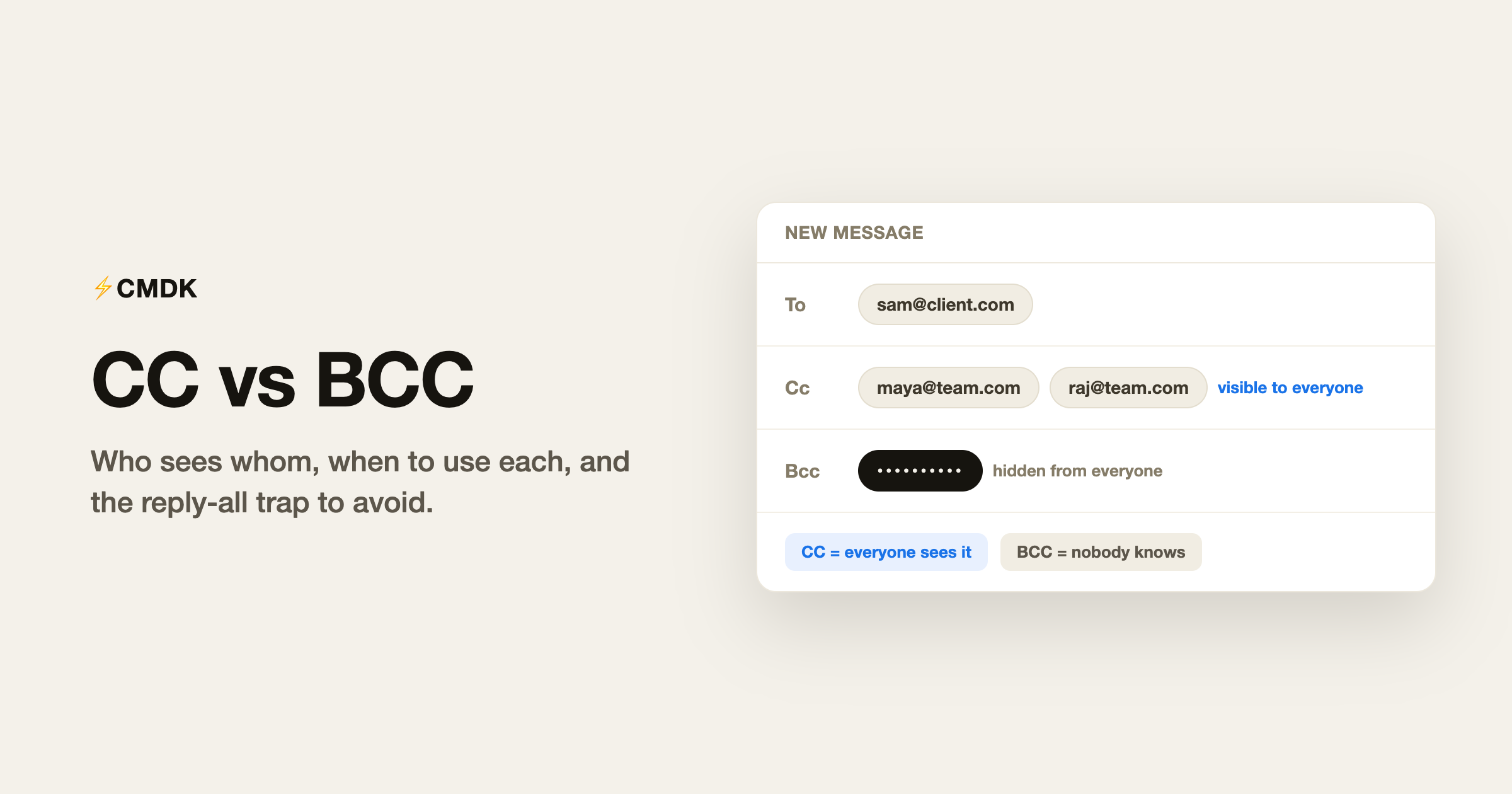
BCC meaning in email is blind carbon copy: the people you add there get the message, and nobody else can see that they did. CC is the opposite. Everyone on the email can see who was copied.
CC stands for carbon copy and BCC stands for blind carbon copy (those are the full forms). Both deliver the same email to extra people. The To field is for people you expect to act, CC is for people who should stay informed, and BCC is for people who should get the email without anyone else knowing.
BCC vs CC: the difference at a glance
| CC (carbon copy) | BCC (blind carbon copy) | |
|---|---|---|
| Visibility | Everyone sees who is copied | Nobody sees who is copied |
| Recipients see each other | Yes | No, each BCC is invisible to all |
| Reply-all reaches them | Yes | No, they drop off the thread |
| Use it for | Keeping people visibly informed | Protecting address lists, quiet copies, thread exits |
| Main risk | Noise: too many people copied | The reply-all leak that exposes the secret copy |
Who sees whom
- People in To and CC see everyone in To and CC.
- People in To and CC never see who was BCC’d, or that anyone was BCC’d at all.
- A BCC recipient sees the To and CC lists, but not other BCC recipients.
- If a BCC recipient hits reply-all, their reply goes to the To and CC lists, and everyone learns they were secretly on the email. This is the classic BCC accident.
What CC is for
CC means “no action needed, but you should know this is happening.”
- Keeping a manager informed on a thread they asked to follow
- Looping in a teammate who will take over while you are out
- Making an agreement visible (“as discussed, CCing finance”)
- Signalling transparency: everyone can see who else is reading
The failure mode of CC is volume. If someone only needs the outcome, send them the outcome later instead of every message in the thread. And being CC’d does not obligate you to reply; that is what the To field is for.
What BCC is for
BCC has three legitimate jobs:
- Protecting a list. Emailing 40 customers or the parents of the football team? Put yourself in To and everyone else in BCC. Exposing a list of addresses in CC is a privacy failure, and in a commercial context it can be a GDPR problem.
- Quietly looping someone in. Sending a complaint and want your manager to have seen it without starting a three-way thread? BCC them on the sent message.
- Releasing someone from a thread. The polite exit: “Moving Priya to BCC so she is spared the scheduling back-and-forth.” She sees the handoff happened, then stops getting replies.
That third move is the standard way to answer an introduction email: thank the introducer, move them to BCC, and carry on with the person you were introduced to. In Gmail this takes a few edits per email, or one command with CMDK’s instant intro BCC.
When BCC goes wrong
- The reply-all leak. A BCC’d person replies all and exposes the secret. If the stakes are high, forward them the sent email instead of BCC’ing them; it cannot leak.
- Surveillance BCC. Routinely BCC’ing a boss on a colleague’s emails reads as going behind their back the moment it surfaces, and it usually surfaces. If a record matters, CC openly or forward afterwards.
- The wrong name in the wrong field. Autocomplete puts a similar address in To or CC and the copy goes to someone who should never have seen it. Undo Send is the only window you get, and it is short: here is how to recall an email in Gmail, and what is still worth doing once that window closes.
- The mass email that should be a tool. BCC hides addresses but gives you no unsubscribes, no formatting, and Gmail’s sending limits still apply (500 recipients a day for personal accounts, 2,000 for Workspace). Past about 50 recipients, use a proper mailing tool.
How to CC and BCC in Gmail
In a Gmail compose window, click Cc or Bcc on the right end of the To line (or press Ctrl+Shift+C and Ctrl+Shift+B on Windows, Cmd+Shift+C and Cmd+Shift+B on Mac). Addresses can be dragged between the To, Cc, and Bcc lines.
Gmail will not auto-BCC anyone
Gmail has no setting that adds a BCC or CC on every send. If your CRM, assistant, or manager needs a copy of every thread, you type that address each time.
CMDK auto CC/BCC does that with a rule. It can add one address on every new email and reply, or only on mail to certain people. Forwards are skipped, and you can strip it off a single draft.
Frequently asked questions
What is the difference between CC and BCC in email?
CC (carbon copy) adds recipients that everyone on the email can see, while BCC (blind carbon copy) adds recipients that no one else can see. People in the To and CC fields cannot see who was added to BCC, and the BCC recipients cannot see each other either. Use CC to keep someone openly in the loop, and use BCC to email a large group without exposing everyone’s address or to copy someone discreetly.
What does BCC mean in email?
BCC stands for blind carbon copy. BCC recipients get a copy of the email, but their names and addresses are hidden from everyone else on the message, including each other.
Can BCC recipients see each other?
No. Each BCC recipient sees only the To and CC lists plus their own address. They cannot see other BCC recipients or how many there are.
Can someone tell if they were BCC’d?
Usually yes, by inference: if your address is not in the To or CC list of an email you received, you were BCC’d. There is no notification, but the absence is visible.
What happens if a BCC recipient replies all?
Their reply goes to the sender and everyone in To and CC, which reveals they had the email. Gmail warns BCC recipients before this exact mistake, but the warning is easy to click through.
Should I use CC or BCC for a group email?
BCC, whenever the recipients do not already know each other’s addresses. CC exposes the full list to everyone, which is a privacy problem for customer or community lists.
Is there a limit to how many people I can BCC in Gmail?
Gmail’s overall recipient limits apply across To, CC, and BCC: up to 500 recipients per message on free accounts and 2,000 on Google Workspace, with daily sending caps to match.
What is the full form of CC and BCC in email?
CC is carbon copy and BCC is blind carbon copy. The names come from typewriter-era carbon paper, which produced a duplicate of a letter as you typed the original.
What does CC mean in email?
CC sends a visible copy of the email to someone who should stay informed but is not expected to act or reply. Everyone on the message can see who has been CC’d.
Tired of adding the same CC on every email? CMDK does it automatically, and moves introducers to BCC in one keystroke.




