
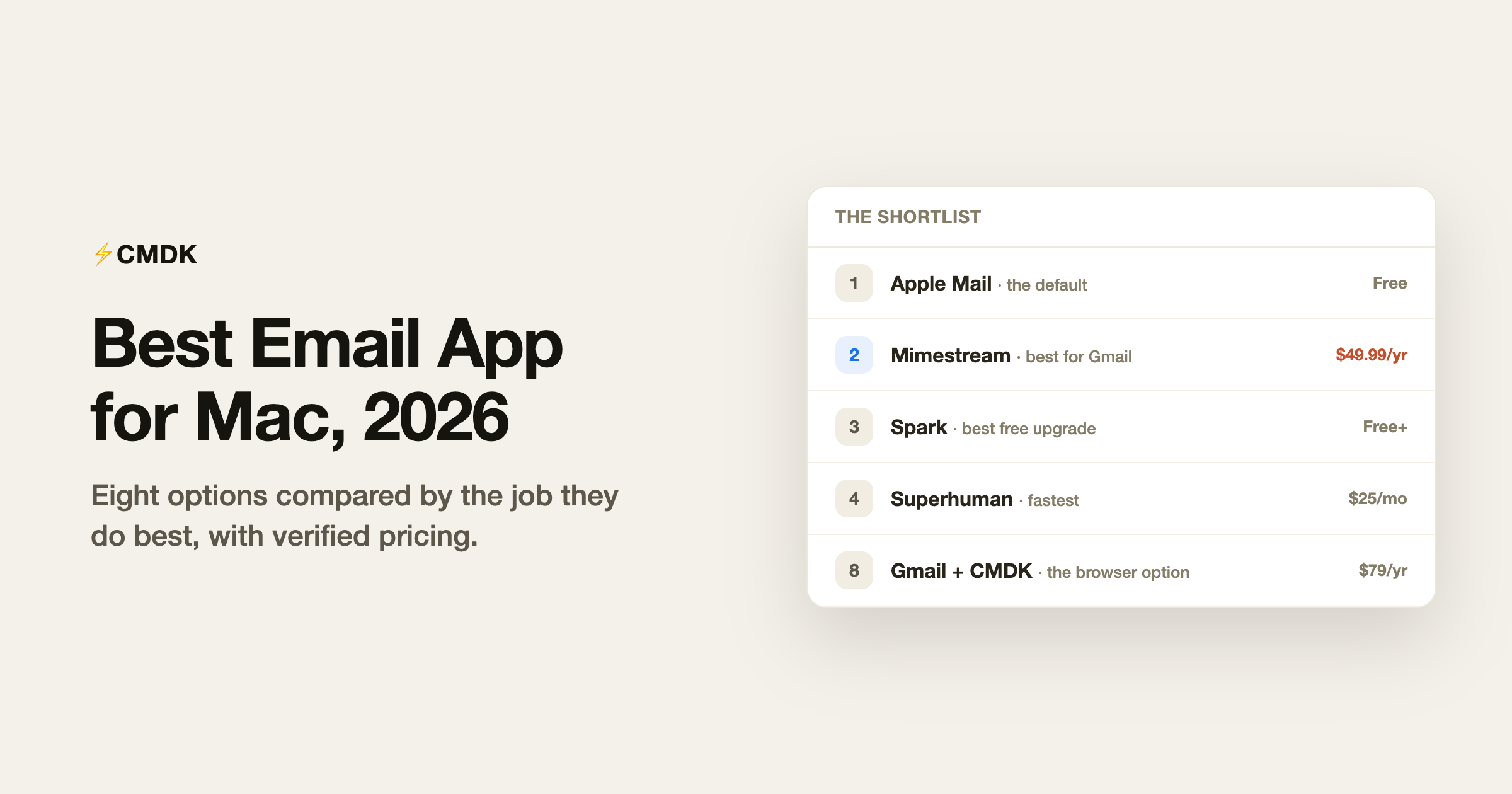
Every Mac ships with a perfectly serviceable email app, which is exactly why picking a different one deserves a reason. The good news for Mac users is that this platform gets the best email software of any OS: the one truly native Gmail client, the fastest premium client, and the strongest AI client all live here. The list below covers eight options by the job they do best, with verified July 2026 pricing, and ends with the choice most roundups skip: staying in the browser and upgrading Gmail itself.
We build CMDK, a Gmail extension that appears at the end of this list, so read the recommendations knowing where we stand. The other seven entries are graded on their own merits.
This list is Mac-specific. For the cross-platform picture, see our pick of the best email apps in 2026.
1. Apple Mail: the default, and fine
Free, built into macOS.
Apple Mail handles every provider (iCloud, Gmail, Outlook, IMAP), integrates with system contacts and calendars, and has quietly gained mail categories, priority messages, and scheduled send in recent macOS releases. It is stable, private, and costs nothing.
Its ceiling is workflow: filters are basic, search trails Gmail’s, Gmail labels map awkwardly to folders, and there are no snippets, tracking, or serious keyboard-driven triage. If email is twenty minutes of your day, stop reading and keep Mail. The rest of the list exists for everyone else.
2. Mimestream: best for Gmail on a Mac
$4.99/month or $49.99/year, 14-day trial. Gmail and Google Workspace only.
Mimestream is what happens when a former Apple Mail engineering manager builds a Gmail client with the Gmail API instead of IMAP. Labels, filters, aliases, and Gmail search all behave exactly as Gmail intends, inside a fast native Mac app that stores tokens on your device with no middleman server. For a Gmail-only Mac user who wants a real desktop app, this is the answer. The trade-offs: no iPhone app yet, no Outlook or iCloud accounts, and deliberately no AI or power toolkit. Our full Mimestream review has the details. That missing iPhone app is the one trade-off worth thinking through, because most people read mail on the phone and answer it on the Mac; our separate pick for the best email app for iPhone covers that half.
3. Spark: best free upgrade, best multi-account
Free; Plus $10/month; Pro $20/month.
Spark’s free plan carries more than most paid apps: unlimited accounts from any provider, the Smart Inbox that separates people-mail from noise, snooze, scheduled send, and reminders, synced across Mac, Windows, iPhone, and Android. Paid tiers add an AI assistant and team collaboration. The standing criticism is architectural: Spark’s cloud stores account tokens server-side to power its sync features, which some security teams reject. Weigh that against the price in our Spark Mail review.
4. Superhuman: fastest, priciest
From $25/month. Gmail and Outlook.
Superhuman remains the speed benchmark: sub-100ms interactions, a command palette, one-key triage, snippets, read statuses, and follow-up reminders, now with AI drafting layered on. People who process 100+ emails a day and bill their time expensively still get their money’s worth. Everyone else is paying $300+ a year for polish they can approximate elsewhere. Our Superhuman review and cost calculator run the numbers.
5. Shortwave: best AI email client
Pro $18/month for individuals; team plans $30 to $120 per seat. Gmail only.
Shortwave’s assistant answers questions from years of your email history, summarizes threads, and writes in your voice, and nothing else in the category matches it. Bundles group newsletters and receipts for one-tap triage, Google Inbox style. The costs are a new interface to learn, Gmail-only support, and a subscription that has climbed steadily. Details in our Shortwave review.
6. Thunderbird: best free power client
Free, open source.
Thunderbird is the un-subscription: every provider, powerful filters, full offline archives, extensions, and no company that can raise prices or shut down. The 2026 versions have modernized the interface considerably. It still looks utilitarian next to native Mac apps and its Gmail integration is IMAP-grade rather than API-grade, but for owning your email setup outright, nothing else comes close.
7. eM Client: the one-time-purchase option
Free for 2 accounts (personal use); Personal license $59.95 one-time for 3 devices, or $39.95/year.
eM Client is the rare modern client still sold as a purchase rather than a rental. It bundles mail, calendar, contacts, and tasks in one app for Mac and Windows, handles every provider, and includes PGP encryption. The interface is denser and more old-school than anything above, and the free tier is limited to personal use, but “pay $60 once and stop thinking about it” is a legitimately rare offer in 2026.
8. The browser option: Gmail plus CMDK
Gmail free; CMDK $79/year or $169 lifetime, 15-day trial.
Most lists pretend the browser tab does not exist, yet it is how the majority of Gmail’s billion-plus users read email on a Mac. The web interface is Gmail’s most complete version, and its real weakness is workflow speed, which is fixable without switching apps: CMDK adds a Cmd+K command bar, split inbox tabs, one-key triage, snippets, read receipts, follow-up reminders, and bulk cleanup directly to the Gmail tab. You get most of the Superhuman workflow at a quarter of the price, with nothing to migrate and nothing that can strand your email if the company disappears.
Which one should you pick?
| You are | Pick | Cost |
|---|---|---|
| A light email user | Apple Mail | Free |
| Gmail-only, want a native Mac app | Mimestream | $49.99/yr |
| Juggling many accounts and providers | Spark | Free, Plus $10/mo |
| A high-volume executive who wants speed at any price | Superhuman | $25+/mo |
| Sold on AI email | Shortwave | $18+/mo |
| Anti-subscription, pro-control | Thunderbird or eM Client | Free / $59.95 once |
| A Gmail user who wants speed without switching apps | Gmail + CMDK | $79/yr |
On a phone as well as a Mac? See our picks for the best email app for Android.
Frequently asked questions
What is the best free email app for Mac?
Apple Mail for simplicity, Spark for features (unlimited accounts, Smart Inbox, snooze, scheduled send, all free), and Thunderbird for power and independence. All three cost nothing; they differ in how much workflow they give you.
Is Mimestream worth it over Apple Mail?
For Gmail accounts, yes: Mimestream speaks the Gmail API natively, so labels, filters, and search work exactly as Gmail intends, which Apple Mail’s IMAP connection approximates poorly. For iCloud or Outlook accounts, Mimestream does not apply; it is Gmail-only.
Do I need an email app on Mac at all?
If you use Gmail, arguably no. Gmail in the browser is the most complete Gmail there is, and an extension like CMDK adds the speed features (command bar, snippets, read receipts, split inbox) that desktop clients are usually bought for, at $79 a year.
What is the best email app for Mac with multiple accounts?
Spark handles unlimited accounts from any provider free, with a unified Smart Inbox. Apple Mail and Thunderbird also handle multiple accounts well at no cost; Mimestream handles multiple Google accounts specifically.
Want Superhuman-style speed in the Gmail you already use on your Mac? CMDK adds a command bar, snippets, read receipts, and split inbox to Gmail for $79 a year, with a 15-day free trial.




