
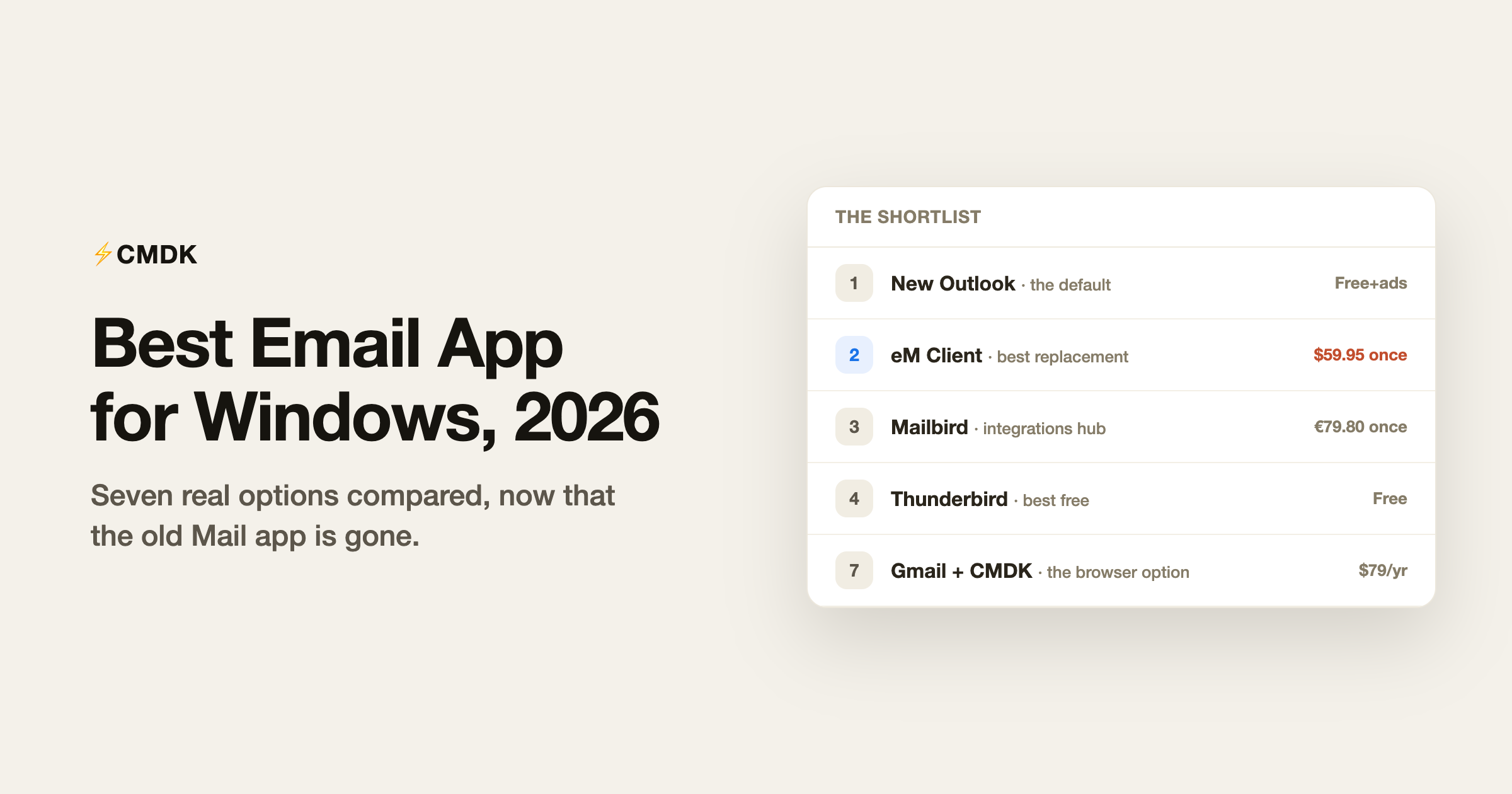
Windows email in 2026 is defined by one event: Microsoft retired the old Mail app and moved everyone to the new Outlook, which is a web app in a window, with ads in the free tier. That push has sent more Windows users shopping for an email client than at any point in a decade. Here are the seven options worth considering, by the job they do best, with pricing verified in July 2026, ending with the browser route most lists ignore.
We build CMDK, a Gmail extension that appears at the end of this list, so read the recommendations knowing where we stand. The other six entries are graded on their own merits.
This list is Windows-specific. For the cross-platform picture, see our pick of the best email apps in 2026.
1. New Outlook: the default, with asterisks
Free with ads; ad-free with a Microsoft 365 subscription (cheapest route: Microsoft 365 Basic at $1.99/month).
The new Outlook for Windows handles Microsoft accounts, Gmail, iCloud, and IMAP, and if your life runs on Microsoft 365 (Teams, Calendar, OneDrive), it is the path of least resistance. The asterisks: it is effectively a wrapped web app, so it feels heavier and less native than the old desktop clients, offline support is thinner, and the free tier shows ads in your inbox. Microsoft-centric users should start here; everyone else has better options below.
2. eM Client: best overall replacement
Free for 2 accounts (personal use); Personal $59.95 one-time for 3 devices, or $39.95/year.
eM Client is the most complete traditional client on Windows: mail, calendar, contacts, tasks, and chat in one app, every provider supported, PGP encryption built in, and excellent migration tools. The one-time license is the standout in a subscription-saturated market: $59.95 once, and the app is yours for that major version. The interface is dense and takes a weekend to tune, and commercial use requires a paid license, but as a straight replacement for what Outlook used to be, this is the strongest candidate.
3. Mailbird: best integrations hub
Free for 1 account; Premium about €39/year, or €79.80 one-time (euro pricing only).
Mailbird’s pitch is the everything-window: unlimited accounts plus built-in panes for WhatsApp, Slack, Google Calendar, Teams, and dozens of other apps, so email and messaging live in one place. It added a Mac version in 2025, and the one-time Premium license covers both platforms. Watch two details: prices are charged in euros, and the “Pay Once” license does not include future major versions unless you add the Lifetime Updates add-on (€69). Snippets, tracking, and send-later are all Premium features.
4. Thunderbird: best free client
Free, open source.
Thunderbird remains the answer when the requirement is “capable, free, and nobody can take it away.” Every provider, industrial-strength filters, full offline archives, add-ons, and active development funded by donations. The 2026 interface is far cleaner than its reputation suggests. It gives you no AI, no tracking, and no cloud sync of settings, which for many Windows users is precisely the appeal.
5. Spark: best looking, best cross-platform
Free; Plus $10/month; Pro $20/month.
Spark brings the Mac-grade design Windows email has historically lacked: a Smart Inbox that separates people-mail from newsletters and notifications, unlimited accounts from any provider free, snooze, scheduled send, and an AI assistant on paid tiers. Settings sync across Windows, Mac, iPhone, and Android. The trade-off is that Spark’s cloud stores account tokens to power its sync, which some workplaces disallow. Full breakdown in our Spark Mail review.
6. Shortwave: best AI email on Windows
Pro $18/month for individuals; team plans $30+. Gmail only.
Shortwave ships a Windows app, and its AI assistant is the best in email: it answers questions from years of your history, summarizes threads, and drafts in your voice, with Google Inbox-style bundles for triage. It only works with Gmail and Google Workspace accounts, and the price has climbed as it chases business customers. Our Shortwave review covers whether it is worth $216 a year.
7. The browser option: Gmail plus CMDK
Gmail free; CMDK $69/year or $169 lifetime, 15-day trial.
If your email is Gmail, the strongest Windows email client might be Chrome or Edge. Gmail’s web interface is its most complete version, and the gap that sends people client-shopping (speed, templates, tracking, structure) closes with an extension instead of an app: CMDK adds a Ctrl+K command bar, split inbox tabs, one-key triage, snippets, read receipts, follow-up reminders, and bulk cleanup to the Gmail tab you already have open. No migration, no new app to learn, and your email setup survives any vendor’s roadmap.
Which one should you pick?
| You are | Pick | Cost |
|---|---|---|
| Deep in Microsoft 365 | New Outlook | Free with ads |
| Replacing classic Outlook properly | eM Client | $59.95 once |
| Living in email + chat apps all day | Mailbird | ~€39/yr or €79.80 once |
| Anti-subscription, pro-control | Thunderbird | Free |
| Multi-account, multi-device | Spark | Free, Plus $10/mo |
| Sold on AI email, Gmail account | Shortwave | $18+/mo |
| A Gmail user who wants speed without switching | Gmail + CMDK | $69/yr |
Switching devices too? See the best email app for Android and the best email app for iPhone.
Frequently asked questions
What replaced Windows Mail?
Microsoft retired the built-in Mail and Calendar apps and replaced them with the new Outlook for Windows, a web-based app that shows ads unless you have a Microsoft 365 subscription. Dissatisfaction with that change is the main reason Windows users are switching to clients like eM Client, Thunderbird, and Mailbird.
What is the best free email app for Windows?
Thunderbird for power and independence, Spark for a modern interface with unlimited accounts, and eM Client’s free tier for a traditional client (limited to 2 accounts and personal use). The new Outlook is also free if you can live with ads.
What is the best email client for Gmail on Windows?
Gmail’s own web interface is the most complete Gmail experience, and an extension like CMDK adds the speed layer (command bar, snippets, read receipts, split inbox) that people usually switch clients to get. Among installed apps, Shortwave is the strongest Gmail-specific choice on Windows.
Is there a one-time-purchase email client for Windows?
Yes, two good ones: eM Client (Personal license $59.95, one-time, 3 devices) and Mailbird (Premium Pay Once €79.80, with a €69 add-on if you want future major versions). Both also offer subscriptions if you prefer smaller payments.
Rather fix Gmail than replace it? CMDK adds a command bar, snippets, read receipts, and split inbox to Gmail in any browser on Windows, for $69 a year with a 15-day free trial.




