
Verdict: Under about 50 emails a day, Spark Free or Plus ($99 a year) is the better answer, and its free tier ends the search for most people. Over 150 a day with income tied to reply speed, Superhuman’s speed is defensible at $300 a year; in between, it rarely pays for itself.
Superhuman and Spark both promise better email, and they are priced as if they were in different industries. Superhuman starts at $300 a year with no free plan at all. Spark starts at nothing and its most expensive individual tier is $199. That gap is the comparison, and most of the pages ranking for it quote prices that are months out of date.
Everything below was checked against superhuman.com/pricing and sparkmailapp.com/pricing in August 2026. One disclosure first: we build CMDK, a Gmail extension that competes with both for the same budget, and it turns up briefly at the end.
The short answer
| If this is you | Pick |
|---|---|
| You process 150+ emails a day and live on the keyboard | Superhuman |
| You want to stop paying for email entirely | Spark Free |
| You juggle Gmail, iCloud, Yahoo and IMAP accounts | Spark |
| Windows is your main desktop | Spark |
| You want the best AI assistant in email | Neither, look at Shortwave |
| Your security team asks where credentials are stored | Superhuman, or a browser extension |
What each one is actually for
Superhuman is a speed instrument. Every action has a keystroke, the interface pre-loads so nothing waits on the network, and the whole product is built around processing a large inbox quickly. It launched invite-only in 2017, was acquired by Grammarly in 2025, and now sits in the Superhuman Suite next to Grammarly and Coda. Its model user handles 150 emails a day and treats the inbox like a cockpit.
Spark is a comfortable home for a messy email life. Built by Readdle since 2015, it connects to Gmail, Outlook, iCloud, Yahoo and any IMAP account, merges them into one unified inbox, and sorts incoming mail into Priority, Notifications and Newsletters. Its model user has four accounts across three operating systems and wants them to feel like one place. Speed is not the pitch.
Pricing, verified August 2026
| Cost | Superhuman | Spark |
|---|---|---|
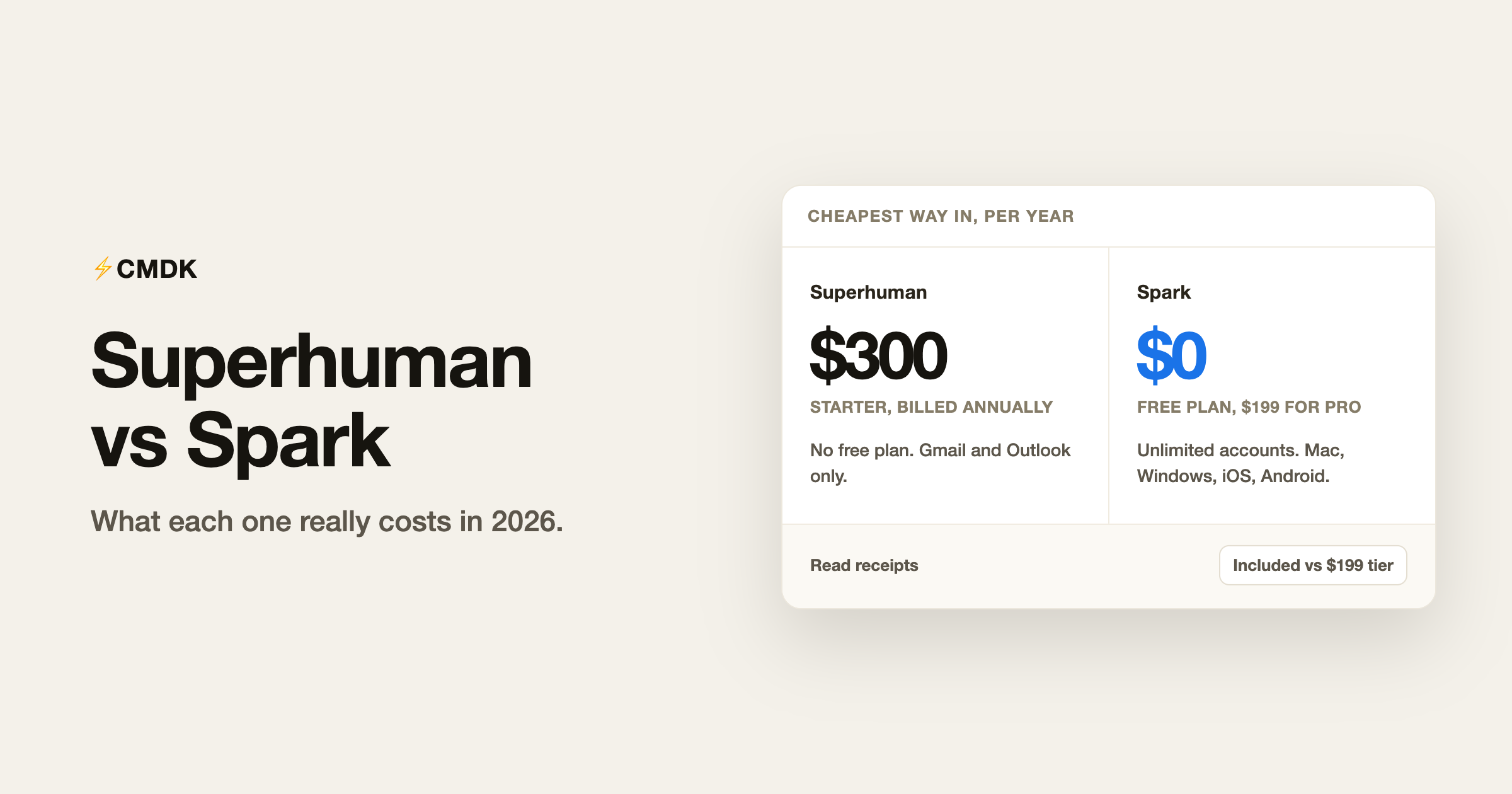
| Free plan | None | Yes, unlimited accounts |
| Entry paid tier | $25 a month billed annually, so $300 a year | Plus at $99 a year, or $10 monthly |
| Top individual tier | $33 a month billed annually, so $396 a year | Pro at $199 a year, or $20 monthly |
| Cheapest way in | $300 | $0 |
| Trial | Trial only, there is no free plan | 7 days on Plus and Pro |
| Read statuses | Included | Pro only, so $199 a year |
Paying monthly costs more on both. Superhuman advertises 17 percent off for annual billing, which puts monthly billing near $30 and $40 respectively, and Spark charges $10 and $20 monthly against $8.25 and $16.58 on the annual plans.
Two details the comparison sites tend to miss. Superhuman moved AI into the entry plan, so Starter is no longer the stripped tier it was a year ago, and Business now buys the more capable AI, Auto Drafts, Ask AI, custom auto labels, CRM integrations and an MCP server rather than AI at all. On the Spark side, Readdle discounts teams of five or more, and longtime users sitting on the old $59.99 Premium plan keep it.
The free tier is the real difference
Spark Free is the most generous free plan in premium email, and it is not a crippled demo. It includes unlimited email accounts, the Smart Inbox, unified inbox, snooze, scheduled send, reminders, set aside, swipe actions, a command center and the calendar, on every platform. The AI is a limited preview with one month of assistant history and five meeting notes total, but the email client underneath is complete.
Superhuman has no free tier and never has. You decide with a trial or not at all.
This matters more than the feature grids suggest. If your actual problem is three accounts in one decent interface, Spark solves it for nothing, and the honest recommendation is to stop reading comparisons and install it. Superhuman only makes sense once you have measured how many emails you process and concluded that shaving minutes off each session is worth $300 a year.
Accounts and platforms
Superhuman supports Gmail and Outlook, with native apps on Mac, iOS and Android. Windows users get the web app, not a desktop client.
Spark supports Gmail, Outlook, iCloud, Yahoo and generic IMAP, with real apps on Mac, Windows, iPhone and Android. Buy on one platform and the subscription covers the rest.
Two decisions end here. If your main address is iCloud, Yahoo or a self-hosted IMAP account, Superhuman cannot open it. If Windows is your main desktop, Spark ships a client and Superhuman gives you a browser tab.
Speed and triage
Superhuman wins this outright, and it should, because it is the entire product. Total keyboard coverage, a command palette for everything, split inbox, and auto-advance after archiving so you never return to a list. A hundred emails that feel like forty minutes in stock Gmail feel like fifteen here.
Spark is quick enough and has genuinely good triage ideas. Gatekeeper makes you accept or block new senders before they reach the inbox, which quietly kills future spam, and the Smart Inbox keeps people-mail above the automated noise. But the app is designed for reading and organising rather than blazing through, and it has grown heavier as Readdle added calendar, meeting notes, team channels and CRM integration. Anyone processing a genuinely large inbox notices the difference inside a day.
AI
Neither one leads the category. Superhuman summarises threads, drafts in your voice and does natural-language search, and the Business tier adds Auto Drafts, Ask AI and an MCP server for connecting other tools. Spark drafts, rephrases, summarises, answers questions against your history and takes meeting notes, metered by monthly credits, with assistant history capped at one month on Free, one year on Plus and everything on Pro.
Both are competent and neither is a reason to choose. If AI is the whole point of paying for email, Shortwave is still the one to look at, and we compared it against Superhuman here.
Check what Spark has actually shipped
Spark’s pricing page lists Workflows, Auto-Drafts and Auto-Labels under Pro, each marked SOON. They carried the same label when we reviewed Spark in July 2026 and they still carry it now. Pro is a reasonable buy for unlimited meeting notes, full-history AI, shared inboxes and read statuses. It is not a reasonable buy for the three features that have not arrived.
Where your credentials live
Spark’s send later, snooze sync and notifications run through Readdle’s cloud, which means the app stores your email tokens server-side. Readdle documents its practices and has a long clean record, but this is the standing criticism in every privacy-focused review of Spark, and corporate security teams raise it regularly.
Superhuman’s servers process your mail too, as any email client’s do, though credentials are not held in the same shape, and post-acquisition that processing now happens on Grammarly’s infrastructure. If server-side storage is a hard no, the safer shapes are a client that talks directly to the Gmail API, like Mimestream, or a browser extension that never holds a token at all.
The verdict
Spark wins on price, platform coverage and account support, and its free tier ends the search for a lot of people. Superhuman wins on speed, and only on speed, which is worth $300 a year to a narrow group and nothing to everyone else.
The test is your daily volume. Under 50 emails a day, the speed advantage never pays for itself and Spark Free or Plus is the better answer. Over 150, with your income tied to how fast you reply, Superhuman is defensible. In between, you are the person these comparisons are actually written for, and the third option below is usually the cheaper answer.
The option both products skip
Superhuman and Spark both replace Gmail. If you like Gmail and want the speed rather than a new app, nothing has to be replaced: CMDK adds a Cmd+K command bar, split inbox, one-key triage, snippets, read receipts and follow-up reminders to Gmail in your browser for $69 a year or $169 once.
That is a quarter of Superhuman and less than half of Spark Pro, with nothing to migrate and no new shortcuts to learn. The honest trade-offs: it is desktop Chrome only, it has no AI assistant, and it will not touch your iCloud account. Full breakdowns in our Superhuman review and Spark review, and a feature-by-feature look at CMDK vs Superhuman.
Frequently asked questions
Is Spark cheaper than Superhuman?
Yes, by a wide margin. Spark Plus is $99 a year and Spark Pro is $199, against $300 for Superhuman Starter and $396 for Business. Spark also has a free plan and Superhuman has none, so the cheapest working setup is $0 with Spark and $300 with Superhuman.
Does Spark have a free version?
Yes, and it is unusually complete. Spark Free covers unlimited email accounts, the Smart Inbox, unified inbox, snooze, scheduled send, reminders and calendar on Mac, Windows, iPhone and Android. The limits are on AI, with one month of assistant history and five meeting notes in total, plus team features and read statuses.
Does Superhuman work with iCloud or Yahoo?
No. Superhuman supports Gmail and Outlook accounts only. Spark connects to Gmail, Outlook, iCloud, Yahoo and any IMAP account, which settles the comparison if your main address is not Gmail or Outlook.
Which has better AI, Superhuman or Spark?
Superhuman is slightly ahead on drafting and search, especially on the Business tier with Auto Drafts and Ask AI, while Spark adds meeting notes that Superhuman does not have. Neither leads the category. Shortwave’s assistant remains the strongest in email as of August 2026.
Can I get read receipts without paying for Spark Pro?
Yes. Read statuses sit on Spark’s $199 Pro tier and are included with Superhuman at $300. A Gmail extension such as CMDK adds read receipts to Gmail for $69 a year, so if tracking opens is the feature you are upgrading for, neither client is the cheapest route to it.
Is Superhuman worth three times the price of Spark?
Only if you process a large inbox every day. Superhuman’s advantage is speed, and speed converts into money for founders, executives and salespeople handling 150 or more emails a day. Below roughly 50 a day the maths does not work, and Spark’s free or $99 tier delivers a better inbox for a fraction of the cost.




